
Introduction
Learning becomes more enjoyable when lessons include interaction, friendly competition, and opportunities to practice new skills. Traditional classroom activities remain valuable, but digital learning tools can add variety to everyday teaching. One platform that combines educational content with game-based activities is Blooket. It allows teachers to turn questions into engaging games that encourage participation and help learners review important concepts.
For a student, this approach can make a regular revision session feel more like a challenge than a routine assignment. Instead of simply reading notes or completing worksheets, learners answer questions, earn rewards, and participate in different game experiences. Teachers can also use the platform to introduce topics, check understanding, and identify areas where additional support may be needed.
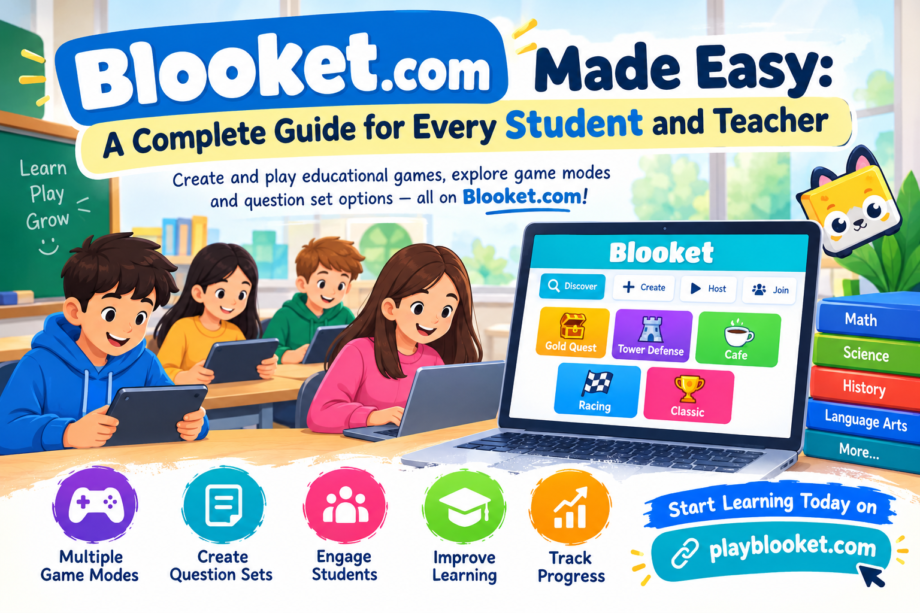
Understanding how Blooket.com works makes it easier for teachers and learners to use its features effectively. From creating question sets to joining live games, the platform offers several ways to bring educational activities into the classroom. This guide explains the main features, game modes, question options, and practical strategies that can make learning more productive.
What Is Blooket.com?
Blooket is an educational platform that combines quizzes with interactive game mechanics. Teachers can prepare question sets, choose a suitable game mode, and invite their classes to participate. Depending on the activity, players may compete individually, work through questions at their own pace, or participate in a shared classroom session.
The platform is useful across different subjects, including mathematics, science, history, geography, and language learning. Teachers can create their own content or explore existing question sets that match their lesson objectives. This flexibility helps them adapt activities to different age groups, classroom needs, and learning goals.
For a student, the main attraction is the opportunity to practice academic material through a more interactive format. Correct answers may contribute to progress within the selected game, making repeated practice feel rewarding. However, the educational value depends on the quality of the questions and how the teacher connects the activity to the lesson.
Blooket should be viewed as a learning aid rather than a replacement for teaching. Explanations, discussions, reading, and independent practice remain important parts of education. When these methods are combined thoughtfully, game-based learning can provide a useful addition to a balanced classroom routine.
How to Get Started With Blooket
Getting started is relatively straightforward. Teachers generally use an account to create or manage question sets and host games, while players follow the joining instructions provided for their particular session.
The exact interface and available options may change as the platform develops, so users should follow the current instructions displayed on the official website.
Step 1: Visit the Official Website
Open a browser and navigate to Blooket.com. Check that you are using the correct website before entering account details. Teachers who want to create educational activities can explore the account and question-set options available on the platform.
A student joining a classroom game usually needs the game instructions supplied by the teacher. These may include a game code or another supported joining method. Following the teacher’s instructions helps everyone enter the correct session.
Step 2: Choose the Appropriate Account Option
Teachers who plan to organize activities may need to register or sign in. An account can help them access the tools available for preparing questions, managing content, and hosting games.
Players should follow the account requirements shown by the platform and their school’s guidance. Younger users may need help from a parent, guardian, or teacher when using online educational services.
Step 3: Explore the Available Features
Once signed in, teachers can explore question sets, hosting options, and the game modes available to their accounts. Taking a few minutes to understand these features before a lesson can prevent confusion during class.
A student benefits when the teacher explains the rules, the purpose of the activity, and the expected learning outcome before the game begins. Clear instructions allow players to focus on answering questions instead of trying to understand the interface while the activity is running.
Creating a Question Set on Blooket
Question sets are the foundation of many Blooket activities. They contain the questions and answer choices used during a game. A well-designed set should match the lesson, use clear language, and test the knowledge students are expected to develop.
Teachers can prepare question sets around a particular chapter, vocabulary list, mathematical skill, or revision topic. For example, a science teacher might create questions about ecosystems, while a language teacher could prepare vocabulary and grammar exercises.
Start With a Clear Learning Objective
Before writing questions, decide what the class should learn or review. A set designed to reinforce multiplication facts will look different from one intended to develop historical understanding.
For a student, questions are more useful when they focus on meaningful learning rather than confusing wording. Teachers should avoid unnecessary complexity, particularly when the goal is to assess knowledge of a subject rather than reading ability.
Select a Suitable Question Format
Blooket question sets commonly support multiple-choice questions and may offer typing-answer options, depending on the creation interface and activity. Each format serves a different purpose.
Multiple-choice questions provide several possible answers. They are suitable for definitions, factual recall, basic calculations, and concept checks. Teachers should make incorrect choices plausible enough to test understanding without making the question unfair.
Typing-answer questions require players to enter a response. They can encourage more active recall because the correct answer is not simply selected from a list. Teachers should check how accepted answers and spelling variations are handled before using this format for a formal review activity.
A student may find multiple-choice questions easier at first, while typing questions can reveal whether the material has been genuinely understood. Using both formats across different activities can provide a broader picture of learning.
Keep Questions Clear and Balanced
A useful question set contains a mix of difficulty levels. Begin with straightforward questions to establish confidence, then introduce questions that require learners to apply concepts or make connections.
For example, a mathematics set might begin with simple multiplication and gradually move toward short word problems. A history set could combine dates, important people, causes, and consequences.
Teachers should also review the answer key carefully. Incorrect answers can create frustration and undermine trust in the activity. Before using a set with a class, test a few questions and confirm that the wording and answers are accurate.
How Students Join a Blooket Game
Joining a hosted game is usually simple when the teacher provides clear directions. The teacher selects an available game mode, hosts the activity, and shares the joining information shown by the platform.
Players then use the supported joining process to enter the session. Depending on the activity, they may need to provide a game code and a display name or complete other on-screen steps.
A student should enter only the information requested for the classroom activity and follow the school’s digital safety rules. Avoid sharing personal details in display names, and never disclose passwords or private account information to other players.
Once the game begins, participants answer the questions according to the selected mode. Some activities emphasize speed, while others allow more flexibility. Reading each question carefully is often more effective than rushing to submit an answer.
Teachers can improve the experience by explaining how scoring works, whether accuracy or speed matters most, and what players should do if they experience a technical problem. A short practice round can help everyone understand the rules before the main activity starts.
Exploring Different Blooket Game Modes
One of Blooket’s main attractions is its collection of game modes. These modes can present the same educational questions in different ways, creating variety without requiring teachers to rewrite every question set.
Availability and mechanics may change over time, so teachers should check the current game-selection screen before planning an activity around a particular mode.
Gold Quest
Gold Quest uses a treasure-themed experience in which players answer questions and encounter game events that can affect their progress. Its unpredictable rewards can make revision exciting, although results may depend partly on game mechanics rather than academic performance alone.
Teachers can use it for a short review session, especially when they want to encourage participation across a large class. A student should remember that success in the game does not automatically mean complete mastery of the topic.
Tower Defense
Tower Defense combines question answering with a strategy-based game. Players use progress within the activity to develop or manage defenses while attempting to meet the game’s objective.
This style can appeal to learners who enjoy planning and making decisions. Teachers may use it for revision when there is enough classroom time to explain the mechanics and connect the questions to the lesson.
Cafe
Cafe introduces a management-style experience in which players answer questions while handling tasks associated with running a virtual cafe. The combination of academic questions and in-game responsibilities provides a different type of engagement.
It can be useful for learners who enjoy activities that require them to monitor progress and manage several tasks. Teachers should still prioritize accurate answers and meaningful discussion rather than allowing the game itself to become the entire lesson.
Racing
Racing-style gameplay rewards players as they answer questions and advance through the activity. The competitive format can make short practice rounds feel energetic.
However, speed-focused activities may put pressure on some learners. Teachers can reduce that pressure by emphasizing improvement and accuracy rather than treating the fastest player as the most knowledgeable person in the class.
Classic
Classic offers a straightforward quiz-style experience that is often suitable for introducing players to the platform. Learners answer questions in a familiar format, making it easier to concentrate on the educational material.
Teachers can use a Classic-style activity to review key facts before a test or check understanding after explaining a new concept. For a student, a simple format can be especially helpful when the subject itself is challenging.
Choosing the Right Mode
The best mode depends on the purpose of the lesson. Competitive activities may work well for a short revision session, while strategy-based modes may be more suitable when the class has time to explore their mechanics.
Teachers should consider the age group, available devices, time limits, and confidence levels of their learners. Rotating between different modes can keep activities fresh without sacrificing educational goals.
Making Learning More Effective With Blooket
Game-based learning is most useful when teachers plan the activity around a specific outcome. Simply launching a game may generate excitement, but a few additional steps can help turn that excitement into lasting knowledge.
Use Short, Focused Sessions
A short activity built around one clear topic is often easier to manage than a long game containing unrelated questions. Teachers might use a five-minute round to review vocabulary or a longer session to reinforce a complete lesson.
A student can concentrate more effectively when the activity has a clear beginning and end. Teachers should leave enough time to discuss mistakes and clarify difficult concepts after the game finishes.
Review Incorrect Answers
One of the most valuable parts of a quiz is discovering what has not yet been understood. After a round, teachers can revisit difficult questions and explain why the correct answer is accurate.
For example, if several learners struggle with fractions, the teacher can demonstrate the relevant method before moving to a more advanced problem. This turns game results into useful feedback rather than simply a score.
Encourage Participation Without Excessive Pressure
Friendly competition can motivate learners, but not everyone enjoys being ranked publicly. Teachers can emphasize personal progress, teamwork where supported, and the value of making mistakes during practice.
A student who answers incorrectly should have an opportunity to understand the mistake and try again. Classroom activities work best when learners feel comfortable asking questions instead of worrying about embarrassment.
Combine Digital and Traditional Activities
Blooket can complement textbooks, written assignments, classroom discussion, and practical exercises. For instance, teachers might explain a scientific concept, run a short question game, and then ask learners to write a summary in their own words.
This combination helps learners encounter the same information in different formats. It also gives teachers more than one way to evaluate understanding.
Benefits for Teachers and Students
Blooket offers several practical advantages when used with a clear teaching plan.
Increased engagement: Interactive gameplay can make routine revision more appealing, particularly when the questions relate directly to the lesson.
Immediate practice: Learners can apply what they have studied and discover which concepts need further attention.
Flexible content: Teachers can organize questions around a range of subjects and adapt activities to the needs of different classes.
Variety in revision: Different game modes can reduce repetition and give teachers more options for reviewing familiar material.
Classroom interaction: Shared activities can create opportunities for discussion, encouragement, and collaborative learning.
For a student, these benefits are strongest when the activity encourages understanding instead of focusing only on winning. Teachers should also recognize that students learn in different ways. Some enjoy competition, while others benefit from quiet practice and additional explanation.
Practical Tips for Better Results
Teachers can make Blooket sessions more successful by preparing a few details in advance.
First, check the question set before hosting. Remove duplicate questions, correct mistakes, and make sure the content matches the learning objective. A carefully prepared set is more valuable than a large collection of poorly written questions.
Second, choose a game mode that fits the class. Younger learners may need a simpler introduction, while older groups may enjoy activities with additional strategy. A short trial run can reveal whether the rules are easy to follow.
Third, consider access to devices and internet connectivity. Not every learner will have the same equipment or connection quality. If necessary, prepare an alternative activity so that no one is excluded because of a technical issue.
Fourth, explain expectations for respectful participation. Students should avoid distracting display names, unkind comments, or behavior that disrupts the lesson.
Finally, use the results thoughtfully. A high score can be encouraging, but it is not a complete measurement of knowledge. Follow-up questions, written exercises, and discussion can help confirm whether the learning objective has been achieved.
Online Safety and Responsible Use
Like any online educational service, Blooket should be used with sensible digital safety practices. Teachers and families should review the platform’s current privacy information, age requirements, and account policies before use.
Students should not share their home addresses, phone numbers, passwords, or other sensitive information during classroom games. Teachers can set expectations for appropriate display names and explain how to report inappropriate behavior.
Schools may also have policies about which websites and game platforms students can use. Following those rules helps maintain a safe and consistent learning environment.
A student who encounters an unfamiliar link or request for personal information should ask a trusted adult before proceeding. It is also helpful to use a secure device, keep account credentials private, and sign out when using a shared computer.
Responsible use allows the class to focus on the educational purpose of the activity while reducing avoidable online risks.
Common Challenges and How to Solve Them
Even a well-planned activity can encounter problems. Knowing how to handle common difficulties can save classroom time.
Difficulty joining a game: Check the game code, confirm that the session is still active, and follow the teacher’s instructions. If the problem continues, ask the host to verify the joining details.
Slow internet connection: Refreshing a page may sometimes help, but learners should avoid repeatedly leaving an active session without checking with the teacher. A backup paper quiz can keep the lesson moving if connectivity fails.
Confusing questions: Teachers should review the wording and answer choices before using a set. If a question creates confusion during play, pause afterward to explain the intended meaning and correct any errors.
Too much competition: Set expectations that learning matters more than the leaderboard. Teachers can recognize improvement, careful reasoning, and effort in addition to game scores.
Limited lesson time: Choose a small set of relevant questions and select a mode that students already understand. Saving complicated instructions for another session can help the class stay focused.
These adjustments can make the experience smoother for both teachers and learners.
Conclusion
Blooket.com offers teachers a flexible way to turn educational questions into interactive classroom activities. Its question-set tools and range of game modes can support revision, encourage participation, and provide opportunities to practice concepts across different subjects.
The platform works best when teachers select appropriate questions, explain the rules, and use the results to guide further instruction. Game modes can add excitement, but thoughtful teaching remains the foundation of effective learning.
For a student, the greatest benefit is not simply earning rewards or achieving a high score. It is the opportunity to review important material, identify mistakes, and develop confidence through practice. By combining Blooket with discussion, reading, and independent work, teachers can create a balanced learning experience that is both engaging and educational.
Whether it is used for a quick vocabulary review, a mathematics challenge, or a classroom knowledge check, Blooket can be a useful addition to a teacher’s collection of learning tools. With careful planning and responsible use, it can help make everyday lessons more interactive while keeping academic goals at the center of the activity.
