
Introduction
Learning becomes more enjoyable when lessons give children a chance to participate instead of simply reading information or listening to explanations. Online quiz games offer a practical way to review school subjects, test understanding, and make ordinary study sessions feel more exciting. Blooket is one platform that brings these ideas together through interactive questions and game-based activities.
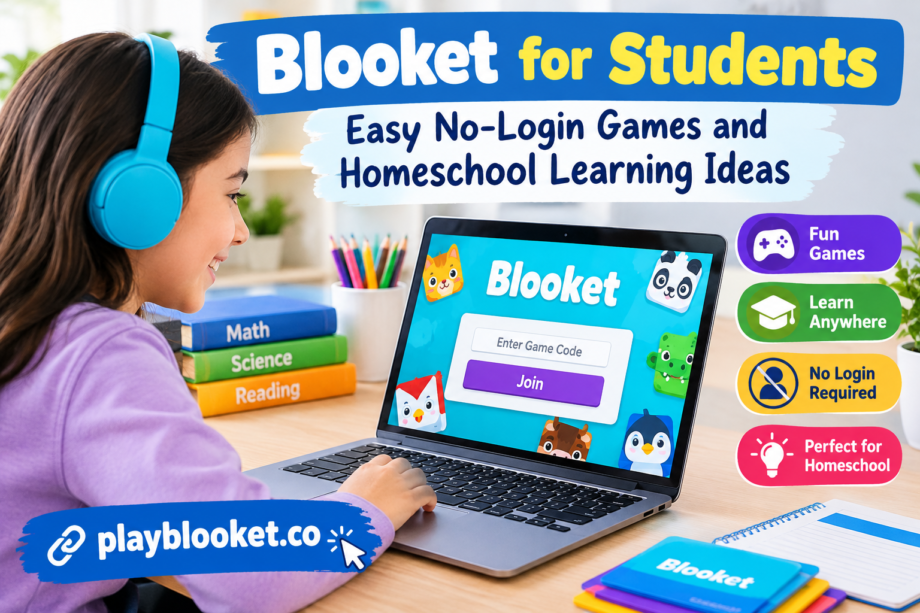
One useful feature is the ability to join a hosted game with a code. In supported game sessions, students can enter the code on the joining page and participate without creating or signing in to an account. This makes it easier for teachers, parents, and homeschool educators to organize short learning activities without asking every child to complete a lengthy registration process.
The same approach can work at home, where families may want to practice spelling, mathematics, science, history, or general knowledge. Rather than treating a quiz as another test, parents can use it as a friendly opportunity to discover what a child understands and which topics need more attention.
This guide explains how Blooket works, how to join a game, how families can use it for homeschooling, and how to make game-based learning productive, safe, and enjoyable.
What Is Blooket and How Does It Work?
Blooket is an online educational platform that combines question-and-answer activities with different game formats. A host selects or creates a question set, chooses a compatible game mode, and starts a session. Participants answer questions while interacting with the selected game experience.
The questions can cover many subjects and difficulty levels. A teacher might prepare multiplication problems for a primary class, while a homeschool parent could create vocabulary questions based on a reading assignment. The flexibility allows students to practice material that matches their current lessons rather than relying only on general trivia.
The platform also gives educators a way to make review sessions more varied. A familiar topic can feel different when presented through a game, especially when participants receive immediate feedback or work toward a shared classroom goal.
However, a game should support learning rather than replace it. Children still benefit from explanations, reading, discussion, written practice, and opportunities to ask questions. Blooket works best when an adult connects the activity to a clear learning objective.
How to Join a Blooket Game Without Logging In
Joining a hosted session is usually straightforward. The host needs to start a game and provide the correct join code, while participants use the official joining page.
Follow these general steps:
- Get the game code. Ask the teacher, parent, or session host for the active code. Make sure it belongs to the correct game.
- Open the official Blooket website. Use a browser on a computer, tablet, or compatible mobile device.
- Find the game-joining page. Follow the available instructions for entering a hosted game.
- Enter the code. Type the code carefully and check for mistakes before continuing.
- Choose a display name. If the session requests a name, follow the host’s classroom instructions and use an appropriate nickname.
- Wait for the host. Once admitted, remain on the waiting screen until the session begins.
- Answer the questions. Read each question carefully and select the answer that best matches what you have learned.
In supported sessions, an account is not required simply to participate. That distinction is helpful because creating an account and joining a live game are two different activities. Some other features may require an account, and access requirements can change as the platform develops.
If the code does not work, check whether the host has started the session, whether the code was copied correctly, and whether the game is still active. Asking the host for a fresh code is often the simplest solution.
Why No-Login Access Can Be Helpful
A simple joining process removes an unnecessary obstacle from many classroom activities. Instead of spending the opening minutes remembering passwords or completing registration steps, the group can focus on the lesson.
For teachers, this can make short review sessions easier to organize. A teacher can introduce five or ten questions at the end of a lesson and quickly see how well the class understands the material. The activity can also provide a change of pace between longer assignments.
For students, easy access can make participation feel less intimidating. A child who is uncertain about a subject may be more willing to attempt a question in a game than to answer aloud in front of the whole class. The teacher can then use incorrect answers as opportunities to explain a concept without embarrassing anyone.
There are practical benefits for families, too. Parents can arrange a brief activity before dinner, after a reading session, or during a weekly review period. They do not need to turn every learning activity into a formal lesson with extensive preparation.
Even so, no-login access should not be confused with unrestricted access. Children should use the official website, follow the host’s directions, and avoid sharing personal details in public display names.
Making Blooket Work for Homeschool Learning
Homeschool education often involves different subjects, learning speeds, and daily schedules. Some children understand a topic quickly, while others need several examples before they feel comfortable. Interactive quizzes can help families review material in a flexible way.
Parents can use Blooket after completing a lesson instead of introducing an unfamiliar topic through a game alone. For example, after teaching fractions, a parent might prepare questions about equivalent fractions, comparing values, and identifying fractions in everyday situations.
This approach gives students an opportunity to recall information without simply rereading the same notes. It also helps parents identify gaps in understanding before moving on to more difficult work.
A practical homeschool routine might look like this:
- Spend 15 minutes teaching or reviewing a concept.
- Work through two or three examples together.
- Play a short quiz with questions about that concept.
- Discuss confusing answers after the activity.
- Finish with a written question or a real-world example.
The final discussion is particularly important. A correct answer does not always mean a child fully understands the reasoning, and an incorrect answer may result from a small reading mistake rather than a lack of knowledge.
Parents can adjust the number of questions, the difficulty level, and the length of each session according to the child’s needs. Younger learners may benefit from brief activities with simple wording, while older learners may prefer questions that require more careful thinking.
Subject Ideas for Interactive Review
One advantage of question-based games is that the format can support many different areas of study. The quality of the experience depends largely on the questions selected and how closely they match the lesson.
Mathematics
Create questions about addition, subtraction, multiplication, division, fractions, decimals, geometry, or basic algebra. A set about fractions could include visual examples, equivalent values, and short word problems.
For students who struggle with a particular operation, begin with simple examples and gradually increase the difficulty. Review mistakes after the game rather than focusing only on the final score.
English and Vocabulary
Vocabulary quizzes can reinforce word meanings, spelling patterns, synonyms, antonyms, punctuation, and grammar. Parents can also create questions about characters, events, and themes from a book their children have recently read.
To improve comprehension, include a short sentence with each new word. This encourages learners to understand how a word is used instead of memorizing a definition in isolation.
Science
Science questions can cover ecosystems, the human body, weather, plants, energy, space, and the scientific method. A homeschool family studying plants might prepare a quiz about roots, stems, leaves, pollination, and the conditions needed for growth.
After the game, connect the questions to an experiment or observation. For example, children could examine a plant and identify the structures discussed during the quiz.
History and Geography
Question sets can cover historical events, important people, maps, continents, countries, landforms, and timelines. These topics become more meaningful when a quiz follows a story, map activity, documentary, or reading assignment.
Instead of asking only for dates, include questions about causes, consequences, and relationships between events.
Foreign Languages
Families teaching another language can practice everyday expressions, common vocabulary, verb forms, and sentence structure. Begin with words children already know and introduce a small number of new terms at a time.
For students learning a language, repeated exposure is useful, but speaking, listening, reading, and writing remain important parts of a balanced routine.
Choosing and Creating Useful Question Sets
A successful game begins with a suitable question set. The host should choose material that matches the age, experience, and learning goals of the participants.
Public question sets may save preparation time, but they should be reviewed before use. A set can contain confusing wording, outdated information, answers that are not clearly correct, or questions that are too difficult for the intended group.
When creating original material, use short questions and clear answer choices. Avoid adding unnecessary details that make a question difficult to understand for reasons unrelated to the subject.
It is also helpful to mix question types. Some questions can test basic recall, while others can ask learners to apply a rule, interpret an example, or distinguish between two similar concepts.
For example, a science set might begin by asking children to identify a plant’s roots. A later question could ask what might happen if the roots cannot absorb enough water. This moves the activity beyond memorization and encourages deeper understanding.
Review the answers yourself before starting the game. A small amount of preparation can prevent confusion during the session and help students trust the learning material.
Keeping Competition Friendly and Productive
Game-based learning can create excitement, but excessive competition may discourage children who need more time. The host can reduce this risk by explaining that the purpose of the activity is to practice and improve, not simply to finish first.
One useful approach is to celebrate effort, thoughtful reasoning, and progress. A child who corrects a misunderstanding has achieved something valuable, even if another participant earns a higher score.
Teachers and parents can also introduce cooperative challenges. For example, the group might aim to answer a certain number of questions correctly together or explain three difficult concepts before the session ends.
For younger learners, short sessions are often easier to manage than long activities. Stop when attention begins to fade, and allow time for discussion afterward. The goal is to reinforce useful knowledge without making the game feel like another source of pressure.
If a child repeatedly answers incorrectly, pause and explain the concept. Repeating the same question under greater time pressure is not always the best way to solve a learning difficulty.
Common Joining Problems and Their Solutions
Although joining a hosted game is usually simple, a few common problems can interrupt the experience.
The code is not accepted. Check the characters carefully and confirm that the host has supplied the current code. An old code may no longer be valid.
The game has not started. The host may still be preparing the session. Wait for instructions or ask whether the game is ready.
The page is not loading. Check the internet connection, refresh the official page, or try a supported browser. If several websites are also slow, the problem may be the connection rather than the game itself.
The wrong game opens. Confirm that the code came from the intended host and ask for clarification before entering another session.
A device is having trouble. Close unnecessary browser tabs, update the browser if appropriate, and check whether the device meets the platform’s current requirements.
These steps can help students get back to the activity without wasting too much learning time. If the issue continues, the host or a responsible adult can check the platform’s current help information.
Privacy and Responsible Use
Children should understand a few basic online safety habits before joining any digital classroom activity. Use the official website, follow the teacher’s directions, and avoid entering private information into a display name or answer field.
A teacher or parent should decide which names are appropriate for the session. Where possible, use a first name, approved nickname, or another school-approved identifier instead of sharing a full name or other personal details publicly.
Adults should also review any relevant school policies and the platform’s current terms, privacy information, and age requirements. Features and access rules can change, so it is wise to check official guidance rather than assume every feature works the same way for every age group.
Parents should supervise younger children and make sure the activity fits the family’s expectations for screen time. A short quiz can be useful, but it should sit alongside reading, hands-on tasks, outdoor activities, and direct conversation.
How to Measure Learning Beyond the Score
A high game score can be encouraging, but it is not a complete measure of understanding. Some children answer correctly through guessing, while others know the material but make mistakes when they feel rushed.
After a session, ask a few follow-up questions. Can the child explain why an answer is correct? Can they solve a similar problem without the game? Can they describe the concept in their own words?
For students who find a topic difficult, keep a small list of questions that caused confusion. Review those concepts during the next lesson and use new examples to check whether understanding has improved.
Parents can compare performance across several sessions, but avoid treating every result as a formal assessment. Sleep, distractions, question wording, and familiarity with the game can all influence performance.
The most valuable outcome is not a perfect score. It is a clearer understanding of the material and greater confidence when approaching similar questions independently.
A Simple Weekly Blooket Learning Plan
Families can make quiz activities more effective by using them consistently without allowing them to dominate the school schedule.
Monday: Introduce a new topic and prepare a short question set based on the main ideas.
Tuesday: Review the lesson with reading, examples, or a practical activity. Identify any questions that remain difficult.
Wednesday: Play a short game using a mixture of familiar and new questions.
Thursday: Revisit mistakes and ask learners to explain their answers without looking at the quiz.
Friday: Finish with a brief review game or a written activity to check what has been remembered.
This schedule is only a starting point. Families can shorten it, change the subjects, or use games less frequently depending on their routine. The important point is to connect the activity to teaching and follow-up practice.
A balanced approach helps students develop recall, confidence, and independence while giving parents a practical way to review progress.
Conclusion
Blooket offers a flexible way to bring interactive questions into classrooms and homeschool routines. When a hosted session supports guest participation, a join code can make access simple without requiring every participant to create an account. This is especially convenient for short review activities where time is better spent learning than completing setup steps.
The strongest results come from choosing accurate questions, matching the difficulty to the learner, keeping competition friendly, and discussing answers after the game. Families should also follow current platform guidance and maintain sensible privacy and screen-time habits.
For teachers and homeschool parents, the real value lies in using games with a clear purpose. When each activity reinforces a lesson and leads to meaningful discussion, students can enjoy the process while building knowledge they can use beyond the screen.
