
Online learning has changed the way students practice lessons and review information. Instead of relying only on worksheets or traditional quizzes, teachers can use interactive platforms to make classroom activities more engaging. One platform that has gained attention for this approach is Blooket.
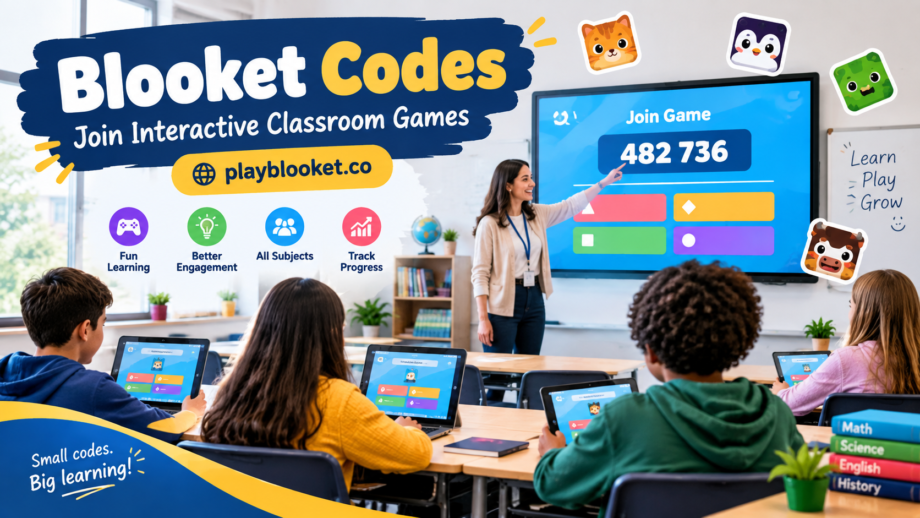
At the center of a live Blooket session is a simple joining system known as Blooket codes. These codes allow students to enter a game session that has already been created and started by a teacher or host.
What Are Blooket Codes?
Blooket codes are six-digit numbers used by players to join a live Blooket game. When a teacher starts a game session, Blooket provides a code that students can use to enter the session.
The process is straightforward. A host selects or creates a question set, chooses a game mode, and launches the session. Once the game is active, students receive the joining code. They can then enter it on the Blooket joining page and follow the instructions to participate.
The code is connected to the particular live session, so students need the correct code to get into the game they are supposed to play.
How Do Blooket Codes Work?
The basic process does not require complicated technical knowledge. A teacher generally starts by preparing a question set for the class. After selecting a suitable game mode, the host launches the session.
A six-digit code is then made available for students.
Students use that code to join the session. Depending on the setup, they may also need to enter a nickname before they can begin. Once they have joined successfully, they can wait for the host to start the activity.
This makes Blooket codes useful in classrooms because the teacher does not have to send an individual invitation to every student. One code can be shared with the entire group.
Why Do Teachers Use Blooket Codes?
One reason teachers may prefer this system is its simplicity. When an entire class needs to join the same activity, sharing one short code is much easier than providing separate access instructions to each student.
Blooket can also turn ordinary question-and-answer activities into game-based experiences. Students answer questions while taking part in a selected game mode, giving the review session a more interactive feel.
For teachers, this can be particularly useful when reviewing material before a test or checking whether students understand a recently taught topic.
How Students Can Join a Blooket Game
Joining a live session is usually a quick process.
First, the student needs the Blooket codes provided by the teacher or host. The student then visits the appropriate Blooket joining page and enters the six-digit code.
After submitting the code, the student may be asked to provide a nickname. Once the information is accepted, the student can enter the waiting area for the live game.
It is important to enter the code exactly as provided. A missing or incorrect number can prevent the student from finding the intended session.
Why Six Digits?
Using a short numerical code makes the joining process convenient. Students do not need to remember a long web address or type a complicated combination of letters and symbols.
A six-digit number is also easy for a teacher to display on a classroom screen, write on a board, or share verbally with students.
For a classroom activity where many students need to join within a short period, this simple approach can save time.
What If a Blooket Code Does Not Work?
Sometimes a student may enter a code and discover that the session is unavailable. This does not necessarily mean that the platform is broken.
The host may have ended the game, the session may no longer be active, or the student may have entered one of the six digits incorrectly.
The easiest first step is to check the code carefully. If it still does not work, asking the teacher or host for the current code can quickly resolve the issue.
Students should also make sure they are attempting to join the correct type of session rather than using an old code from a previous game.
Blooket Codes and Classroom Review
The real value of Blooket codes is not the numbers themselves. Their purpose is to provide a simple bridge between the teacher’s live activity and the students who need to participate.
For example, a teacher might finish a lesson about vocabulary and use a Blooket game to review important words. Another teacher could use the platform for mathematics questions, science facts, history topics, or general knowledge.
Because students interact with questions through a game environment, the activity can feel different from completing another conventional worksheet.
Keep in Mind
A Blooket code is normally associated with a particular live session, so students should use the code given for the current activity rather than relying on an old number.
Teachers should also make sure students know when the game is starting and which nickname or identification method they should use. Clear instructions can prevent unnecessary confusion when an entire class is trying to join at the same time.
Final Thoughts
Blooket codes provide a simple way for students to access live Blooket games. These six-digit numbers connect players with a session created and launched by a teacher or host.
The concept is easy: the host starts the game, shares the code, and students enter it to participate. While the code itself is only a small part of the experience, it helps make joining a classroom game quick and convenient.
For teachers looking to add more interaction to quizzes and review activities, this joining system is one of the practical features that makes live Blooket sessions easy to organize.
