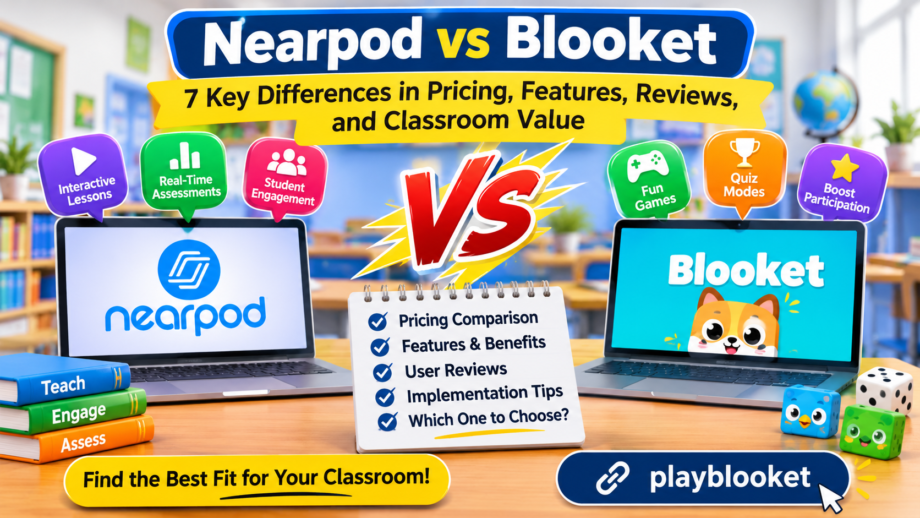
Choosing the right digital learning platform can make a noticeable difference in how students participate, understand lessons, and retain information. Teachers today have access to many educational tools, but not every platform serves the same purpose. Some focus on interactive presentations and structured instruction, while others turn ordinary questions into entertaining classroom competitions. Two popular options worth comparing are Nearpod and Blooket.
Both platforms help educators make learning more interactive, but their approaches are quite different. One provides a broader environment for delivering lessons, collecting responses, and checking student understanding. The other uses game mechanics, rewards, and different activities to make revision more enjoyable. Understanding these differences can help teachers avoid paying for features they rarely use.
This comparison examines pricing, classroom features, user feedback, accessibility, implementation requirements, and overall value. It also considers how educators can use software comparison resources on Zoftware to evaluate both products before making a purchasing decision.
1. Understanding the Purpose of Each Platform
Before comparing subscription costs, it is important to understand what each product is designed to accomplish.
Nearpod is an interactive instructional platform that helps teachers transform regular teaching materials into engaging digital lessons. Educators can build presentations, add videos, create quizzes, conduct polls, and collect student responses during a lesson. It supports both teacher-led sessions and self-paced activities, making it suitable for different classroom environments.
The platform is particularly useful when teachers want students to participate throughout a lesson instead of simply watching a presentation. For example, a science teacher can introduce a topic, show an interactive video, ask students to answer questions, and review their responses before moving to the next section.
Blooket follows a different approach. It turns educational questions into games that encourage students to participate, answer correctly, and improve their performance. Teachers can create question sets or select existing ones from the public library. They can then choose a game mode and invite students to participate.
Instead of delivering an entire instructional presentation, Blooket is primarily useful for revision, practice, knowledge checks, and classroom activities.
The main difference is their educational purpose. Nearpod supports lesson delivery and assessment, whereas Blooket focuses on game-based learning and practice. Teachers should consider this distinction before deciding which platform deserves a place in their regular teaching routine.
2. Nearpod and Blooket Pricing Comparison
Pricing is an important consideration for individual teachers, schools, and educational organizations. Both products provide free access, but their paid subscriptions unlock different capabilities.
Nearpod Pricing Plans
Nearpod offers individual educator subscriptions as well as school and district licensing. Its published individual pricing includes the following options:
| Plan | Annual Price | Storage | Students Per Lesson |
|---|---|---|---|
| Silver | Free | 300 MB | 40 |
| Gold | $159 | 1 GB | 75 |
| Platinum | $397 | 5 GB | 90 |
| School and District | Custom quote | Unlimited | 250 |
The Silver plan is a reasonable starting point for teachers who want to explore interactive lessons without paying a subscription fee. It includes core lesson-building tools, access to educational resources within storage limits, live and self-paced delivery, and session reporting.
Gold costs $159 per user per year. It includes everything available in Silver, together with additional storage, larger lesson participation limits, the AI Create Question Generator, Google Slides integration, Drag & Drop activities, multiple active sessions, and substitute lesson plans.
Platinum costs $397 per user per year. It includes Gold features, increases storage to 5 GB, allows up to 90 student joins per lesson, and adds student notes.
School and district subscriptions are priced through customized quotes. They are designed for organizations that require broader implementation, administrative reporting, integrations, shared libraries, and additional support.
Blooket Pricing Plans
Blooket also provides a free Starter option that allows teachers to create question sets, discover existing content, and host educational games.
Its paid upgrade is called Blooket Plus. Zoftware’s published pricing information lists Plus at $2.99 per month when billed annually, equivalent to $35.88 per year. Plus Flex is listed at $4.99 per month, offering a monthly payment option.
Paid features include enhanced reports, additional game modes, folders for organizing question sets, and increased participation limits. Teachers who regularly organize larger activities may find these upgrades useful.
The free version is sufficient for many basic classroom activities, particularly when teachers do not need premium reporting or additional game options.
Which Platform Offers Better Value?
The answer depends on what educators want to accomplish.
Blooket has a lower entry cost for teachers who mainly need entertaining review activities. Its free version also makes it possible to introduce game-based learning without immediately requesting a classroom budget.
Nearpod has a higher individual subscription cost, but its broader lesson-building and assessment capabilities serve a different purpose. Gold may be worthwhile for educators who regularly create interactive presentations, while Platinum offers additional capacity for teachers with larger content libraries and note-taking requirements.
Schools should also consider the total number of teachers who need access. Buying individual subscriptions for an entire department may not be the most practical approach when organizational licensing is available.
3. Feature Comparison: What Can Teachers Actually Do?
A platform’s feature list only becomes valuable when its tools solve real classroom problems. Both products provide useful capabilities, but their strengths are not identical.
Interactive Lesson Creation
Nearpod provides tools for creating structured lessons that combine presentations, videos, questions, and classroom activities. Teachers can upload existing materials and enhance them with interactive elements.
For example, an educator teaching geography might create a presentation containing maps, short videos, multiple-choice questions, and open-ended activities. Students can respond during the session, giving the teacher a better understanding of their progress.
Blooket does not provide the same type of complete lesson-building environment. Its main content structure revolves around question sets that teachers use to organize games and practice sessions.
For this reason, Nearpod is more appropriate for introducing new concepts, while Blooket works well when students already have some knowledge and need opportunities to review it.
Games and Student Engagement
Game-based learning is where Blooket becomes especially useful. Its different game modes add competition, rewards, and visual elements to ordinary question-and-answer activities.
Students can participate using a game code, while teachers control the activity and monitor the results. The variety of available modes can help prevent regular revision sessions from becoming repetitive.
Nearpod also includes engaging activities, including Time to Climb, polls, quizzes, collaborative boards, and interactive media. However, these activities are generally integrated into a larger instructional experience rather than making the entire platform revolve around games.
Assessment and Student Feedback
Assessment is another important difference.
Nearpod offers formative assessment tools that allow educators to gather responses throughout a lesson. Teachers can review answers, identify misunderstandings, and adjust instruction when necessary. Session reports also help educators understand how students performed.
Blooket provides feedback through its game results and reports. Teachers can use these results to identify questions that students answered incorrectly and determine which topics may require additional practice.
Both platforms support assessment, but they approach it from different directions. One connects assessment with lesson delivery, while the other connects it with gameplay.
Content Libraries and Customization
Teachers do not always have enough time to create every classroom activity from the beginning.
Nearpod provides access to a large library of educational lessons, activities, and videos. Educators can find relevant materials and customize them according to their teaching requirements.
Blooket offers a public Discover library containing question sets created by educators and other contributors. Teachers can search for existing material or prepare their own sets.
Both approaches reduce preparation time, although the content formats are different. Nearpod is more useful for finding structured instructional resources, while Blooket is convenient for finding ready-made question sets.
4. User Reviews and Overall Satisfaction
Software ratings can provide useful information, but a rating alone should never determine a purchasing decision. Teachers should also examine written feedback, reported strengths, weaknesses, and the type of user who submitted the review.
According to the product profiles published on Zoftware, Nearpod has a rating of 4.7 based on 597 reviews, while Blooket has a rating of 4.9 based on 34 reviews. These figures represent the profiles displayed on Zoftware and should not be treated as a direct scientific comparison.
What Users Appreciate About Nearpod
The review information highlights the platform’s interactive teaching capabilities and its ability to combine presentations with student participation.
Its lesson-building tools are particularly useful for educators who want to move beyond traditional slides. Teachers can include different question formats, multimedia resources, and collaborative activities in one learning experience.
The range of instructional options also makes it useful for different subjects and age groups.
However, some educators may find that preparing detailed lessons takes more time than creating a basic quiz. The availability of advanced tools can also make the platform feel more complicated for someone who only needs occasional classroom activities.
What Users Appreciate About Blooket
Blooket receives positive feedback for its engaging gameplay, accessible interface, and variety of game modes.
Teachers appreciate being able to create question sets and turn them into activities without preparing a complicated presentation. Students can also participate through a browser, making it relatively convenient for classrooms with different devices.
Zoftware’s review summary also identifies some potential weaknesses, including occasional technical problems, limited advanced question formats, and concerns about excessive competition.
These points are worth considering when deciding whether a game-focused platform fits a particular group of students.
How Should Teachers Interpret These Ratings?
A higher rating does not automatically mean that a product is better for every classroom.
Nearpod and Blooket solve different problems. A teacher looking for a complete interactive lesson environment may prefer one product, while an educator who wants fast revision games may find the other more suitable.
It is also important to remember that the number of reviews differs considerably. A score based on 34 reviews should not be interpreted in exactly the same way as a score based on 597 reviews.
The most reliable approach is to combine ratings with product demonstrations, available features, subscription limits, and the actual needs of the classroom.
5. Implementation and Ease of Getting Started
Implementation involves more than creating an account. Teachers need to understand how a product fits into their existing teaching process, how students access activities, and how results are collected.
Getting Started With Nearpod
A typical implementation process begins with creating an educator account and exploring the available lesson-building tools.
Teachers can create new instructional materials or upload existing presentations. They can then add activities, questions, and multimedia content according to the lesson objectives.
After preparing the material, educators choose how students will participate. Live Participation allows the teacher to guide the session, while Student-Paced delivery gives learners more control over their progress.
Teachers can share access information with students and review responses through the available reporting tools.
For individual educators, the initial learning process is manageable, especially when they already use digital presentations. However, a school-wide rollout requires additional planning around integrations, teacher training, account management, and classroom technology.
Getting Started With Blooket
Blooket has a shorter setup process for teachers who want to organize a quick activity.
First, the educator creates an account and selects an existing question set or prepares a new one. Next, a suitable game mode is selected, and the teacher starts hosting the session.
Students join using the displayed game information. Once everyone is ready, the activity begins.
Teachers can review the results after the game and use the information to identify areas where students need additional practice.
Because the process is straightforward, Blooket can be introduced during an ordinary lesson without requiring teachers to redesign their entire instructional materials.
Which Is Easier to Implement?
For a quick classroom activity, Blooket generally requires less preparation. Its simple question-set and game-hosting process makes it convenient for educators who want to start quickly.
Nearpod involves more preparation when teachers want to create detailed lessons, but that additional work can provide greater instructional flexibility.
The better implementation choice depends on the intended use. Schools introducing a new digital lesson system should consider training requirements, while teachers seeking an occasional review tool may prefer a simpler setup.
6. Classroom Compatibility and Learning Environments
The devices, internet connection, student age groups, and classroom structure can all influence whether a platform works effectively.
Nearpod supports lessons across laptops, tablets, smartphones, and Chromebooks. Its combination of live and self-paced delivery is useful for traditional classrooms, remote learning, and blended instruction.
The platform can also connect with supported classroom tools and learning management systems. School and district plans provide additional integration and administrative options, which can help organizations manage larger implementations.
Blooket is also accessible through web browsers and is designed to make participation straightforward. Students can join hosted activities without needing to install a dedicated application.
This simplicity makes it attractive for classrooms where teachers want to introduce a short activity without asking students to learn a complicated interface.
However, educators should consider the learning environment. A competitive activity may not be appropriate for every subject, age group, or student preference. Some learners enjoy leaderboards, while others may feel uncomfortable when their performance is publicly compared with classmates.
Similarly, an interactive lesson platform requires sufficient preparation and suitable devices to make the most of its multimedia features.
7. Choosing the Right Platform for Different Teaching Needs
There is no single answer that works for every educator. The best choice depends on the learning objectives, available resources, and teaching style.
For Teachers Who Deliver Structured Lessons
Nearpod is a strong option for teachers who regularly prepare presentations, introduce new topics, and assess student understanding during instruction.
Its interactive tools allow educators to create a connected learning experience rather than switching between multiple unrelated activities.
For Teachers Who Focus on Revision
Blooket is suitable for teachers who want students to practice previously introduced concepts.
For example, a language teacher could prepare vocabulary questions and use a game mode to help students recall definitions. A mathematics teacher could use question sets to reinforce multiplication, fractions, or basic calculations.
For Schools With Larger Technology Requirements
Schools considering a broader digital teaching system should examine Nearpod’s organizational licensing options. Administrative reporting, integrations, shared libraries, and additional support can be relevant when many teachers use the same platform.
Blooket may be a more affordable addition for schools that primarily want to improve classroom revision and participation.
For Budget-Conscious Educators
Teachers should begin by evaluating the free versions before committing to an annual subscription.
If a free plan provides enough capacity for the intended activities, upgrading may not be necessary. Paid subscriptions become more valuable when their additional features solve an actual classroom problem.
This approach prevents educators from spending money on tools that remain unused throughout the academic year.
8. Can Teachers Use Both Platforms Together?
Choosing between two products does not always mean that one must replace the other.
In fact, combining different educational tools can create a more balanced learning experience.
A teacher could introduce a new topic through an interactive Nearpod lesson, explain important concepts using multimedia resources, and collect student responses during the presentation.
After completing the lesson, the teacher could organize a Blooket activity to help students review the same material.
This creates a simple learning sequence:
- Introduce the topic through structured instruction.
- Use questions and interactive activities to check understanding.
- Identify difficult concepts from student responses.
- Prepare a game-based revision activity.
- Review the results and provide additional explanations when necessary.
The two products can therefore complement each other instead of competing for exactly the same classroom role.
Teachers should still consider preparation time, student device access, and subscription costs before introducing multiple platforms.
9. Using Zoftware to Make a More Informed Decision
Selecting educational software becomes easier when teachers compare products using consistent criteria rather than relying entirely on advertising or individual recommendations.
Zoftware provides software discovery and comparison resources that can help users examine product information, pricing, features, and customer feedback.
When evaluating Nearpod and Blooket, educators should pay attention to several areas:
- Pricing: Compare free access, annual subscriptions, and available organizational plans.
- Features: Identify whether lesson creation, interactive assessments, or game-based activities are more important.
- Reviews: Examine positive and negative feedback instead of focusing only on average ratings.
- Ease of Use: Consider how much preparation teachers need before using the software.
- Implementation: Check available integrations, student access methods, and training requirements.
- Scalability: Determine whether the platform can support additional classrooms and larger student groups.
A comparison should also account for the school’s existing technology. For example, a school already using Google Classroom or Microsoft Teams may want to investigate how its preferred teaching platform connects with those systems.
Zoftware can help organize the evaluation process, but educators should verify current subscription details and product capabilities with the software providers before making a final purchase.
10. Final Verdict: Which Platform Deserves Your Attention?
Both platforms offer useful ways to make education more interactive, but they serve different purposes.
Nearpod is the more comprehensive choice for educators who want to create lessons, use multimedia, collect student responses, and monitor understanding. Its Silver, Gold, and Platinum plans provide different levels of capacity, with paid subscriptions becoming useful for teachers who need additional storage and advanced instructional features.
Blooket is a practical option for teachers who want to make classroom revision more enjoyable. Its game modes, question sets, and simple hosting process make it useful for short activities and knowledge checks. The free Starter plan also provides an accessible starting point for educators with limited budgets.
The decision ultimately depends on how a teacher plans to use the software. Those who prioritize lesson delivery and ongoing assessment may find greater value in Nearpod, while educators who prioritize quick games and student motivation may prefer Blooket.
Rather than selecting a product because it has a slightly higher rating, teachers should compare its real capabilities with their classroom requirements. Reviewing pricing, testing available features, and reading user experiences can lead to a more practical decision.
The most effective digital learning environment is not necessarily the one with the longest feature list. It is the one that helps teachers achieve their learning objectives while giving students meaningful opportunities to participate, practice, and improve.
