
Desmos: The Ultimate Guide to Learning Math with Interactive Graphs
Mathematics has become far more engaging thanks to digital learning platforms. Among the most popular tools available today, Desmos has earned a strong reputation for making graphing, algebra, geometry, statistics, and calculus easier to understand. Unlike traditional graphing calculators that require expensive hardware, Desmos is completely free and works directly in a web browser or mobile app.
Teachers around the world use Desmos to create interactive lessons, while students rely on it to visualize mathematical concepts in real time. Whether you’re solving equations, exploring functions, or preparing for exams, Desmos provides an intuitive experience suitable for learners of every level.
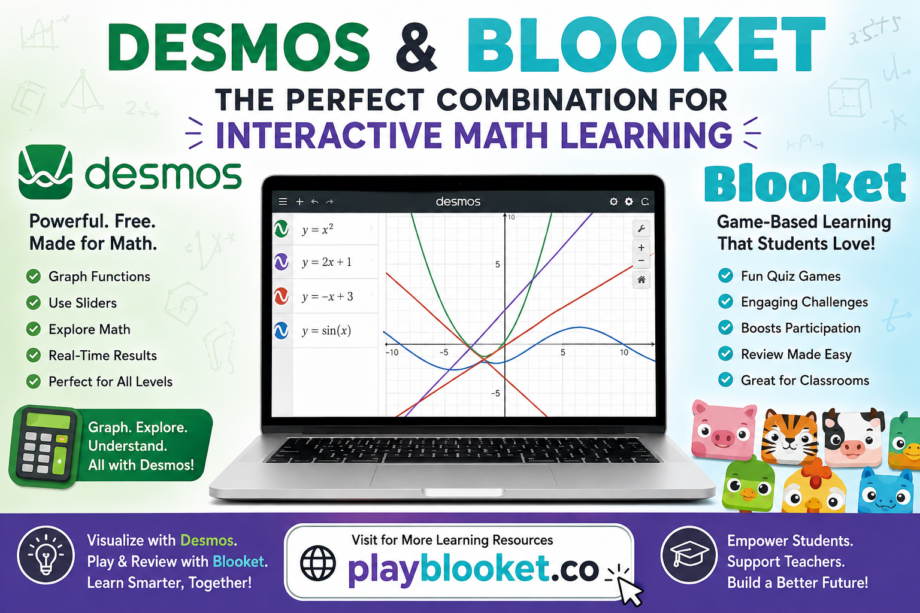
If you also enjoy educational games, you’ve probably heard of Blooket. While Desmos focuses on mathematical visualization and problem-solving, Blooket transforms quizzes into exciting classroom competitions. Together, these platforms create a modern learning environment where understanding and engagement go hand in hand.
At playblooket.co, we regularly explore educational platforms that help students learn more effectively, and Desmos is one of the best mathematical tools available today.
Table of Contents
- What Is Desmos?
- Why Desmos Is So Popular
- Key Features of Desmos
- Who Can Use Desmos?
- How Desmos Works
- Desmos Graphing Calculator Explained
- Desmos Classroom Activities
- Desmos vs Traditional Graphing Calculators
- Desmos and Blooket: A Powerful Learning Combination
- Benefits for Teachers
- Benefits for Students
- Tips for Getting the Most from Desmos
- Frequently Asked Questions
- Final Thoughts
What Is Desmos?
Desmos is a free online mathematics platform designed to help students, educators, and professionals visualize mathematical concepts. It includes an advanced graphing calculator capable of plotting functions, inequalities, parametric equations, polar graphs, tables, and more.
Unlike many scientific calculators, Desmos updates graphs instantly while users type equations. This immediate visual feedback helps learners understand mathematical relationships much faster.
The platform is cloud-based, meaning users can access it from nearly any device without installing complicated software.
Why Desmos Is So Popular
Desmos has gained worldwide popularity because it removes many of the barriers traditionally associated with learning mathematics.
Some of the reasons include:
- Completely free to use
- No expensive calculator required
- Simple and clean interface
- Works on desktop, tablet, and mobile devices
- Supports advanced mathematical functions
- Excellent for classroom teaching
- Interactive visual learning
- Accessible for beginners and advanced learners alike
Instead of memorizing formulas without context, students can instantly see how changing variables affects graphs.
Key Features of Desmos
1. Interactive Graphing Calculator
The graphing calculator is Desmos’ most recognizable feature.
Users can graph:
- Linear equations
- Quadratic equations
- Cubic functions
- Exponential functions
- Logarithmic functions
- Trigonometric functions
- Piecewise functions
- Polar equations
- Parametric equations
- Inequalities
Every graph updates in real time.
2. Sliders
One of Desmos’ most powerful tools is its interactive sliders.
Instead of manually changing values, students can move sliders to observe how graphs transform.
For example:
- Changing the slope of a line
- Moving the vertex of a parabola
- Adjusting amplitude
- Exploring frequency
- Understanding transformations
This visual interaction significantly improves mathematical understanding.
3. Tables
Students can create tables of values and instantly plot points on graphs.
This helps with:
- Data analysis
- Linear regression
- Scatter plots
- Pattern recognition
Teachers frequently use tables during classroom demonstrations.
4. Geometry Tools
Desmos isn’t limited to graphing.
It also supports geometry activities such as:
- Drawing polygons
- Measuring angles
- Constructing circles
- Midpoints
- Perpendicular bisectors
- Parallel lines
These tools simplify many geometry lessons.
5. Scientific Calculator
Besides graphing, Desmos includes a powerful scientific calculator capable of solving:
- Fractions
- Exponents
- Roots
- Logarithms
- Trigonometric calculations
- Probability
- Statistics
Students no longer need multiple calculator apps.
Who Can Use Desmos?
Desmos serves a wide range of learners.
Elementary Students
Young learners can explore patterns, shapes, and simple graphs using interactive visuals.
Middle School Students
Students begin learning:
- Algebra
- Coordinate planes
- Linear equations
- Functions
Desmos makes these topics much easier to understand.
High School Students
High school learners frequently use Desmos for:
- Algebra I
- Algebra II
- Geometry
- Trigonometry
- Calculus
- Statistics
Many teachers integrate Desmos into daily lessons.
College Students
University students use Desmos for higher-level mathematics, engineering concepts, economics, and scientific visualization.
How Desmos Works
Using Desmos is remarkably simple.
Step 1
Open the calculator in your browser or app.
Step 2
Enter an equation such as:
y = x²
The graph appears instantly.
Step 3
Modify the equation.
For example:
y = 2x² + 5
The graph updates automatically.
Step 4
Add sliders to experiment with different values.
This interactive approach encourages exploration rather than memorization.
Desmos Graphing Calculator Explained
The graphing calculator offers professional-level capabilities while remaining beginner-friendly.
Features include:
- Zoom controls
- Coordinate grid
- Multiple equations
- Color customization
- Labels
- Animation
- Regression analysis
- Domain restrictions
- Function transformations
Students can compare multiple equations on one graph, making mathematical relationships easier to identify.
Desmos Classroom Activities
Beyond graphing, Desmos includes classroom activities that encourage participation.
Teachers can:
- Assign lessons
- Monitor student progress
- Create custom activities
- Collect responses
- Encourage collaborative learning
These interactive lessons transform traditional lectures into engaging experiences where students actively solve problems instead of simply watching demonstrations.
Desmos vs Traditional Graphing Calculators
Traditional graphing calculators have long been a classroom staple, but Desmos offers several advantages that make it an attractive modern alternative.
| Feature | Desmos | Traditional Calculator |
|---|---|---|
| Free to Use | ✔ | ✘ |
| Browser-Based | ✔ | ✘ |
| Mobile Access | ✔ | Limited |
| Interactive Sliders | ✔ | Limited |
| Automatic Updates | ✔ | ✘ |
| Cloud Saving | ✔ | ✘ |
| Easy Sharing | ✔ | ✘ |
| User-Friendly Interface | ✔ | Moderate |
For many students and educators, Desmos delivers advanced functionality without the high cost of dedicated graphing hardware.
Desmos and Blooket: A Powerful Learning Combination
Although Desmos and Blooket serve different educational purposes, they complement each other exceptionally well in modern classrooms.
Desmos helps students understand mathematical concepts through interactive graphs and visual exploration. Blooket reinforces those concepts using game-based quizzes, encouraging participation and friendly competition.
A teacher might first explain quadratic functions with Desmos, allowing students to experiment with graphs and sliders. Afterwards, the same concepts can be reviewed through a Blooket quiz, helping students strengthen their understanding in a fun and engaging way.
This combination promotes both conceptual learning and knowledge retention, making lessons more enjoyable and effective.
(Part 1 of the article.)
