
Introduction
A classroom review does not have to mean reading questions from a worksheet while everyone waits for the next answer. Students often learn more enthusiastically when they can participate, make decisions, compete with classmates, and see their progress as they go. That is one reason Blooket has become a popular option for teachers who want to bring more energy into everyday learning.
Blooket combines educational questions with interactive activities. Instead of presenting the same quiz in exactly the same way every time, the platform offers different ways to turn a question set into a learning experience. Each game mode introduces its own rules, challenges, and rewards, giving students a reason to stay involved while reviewing important information.
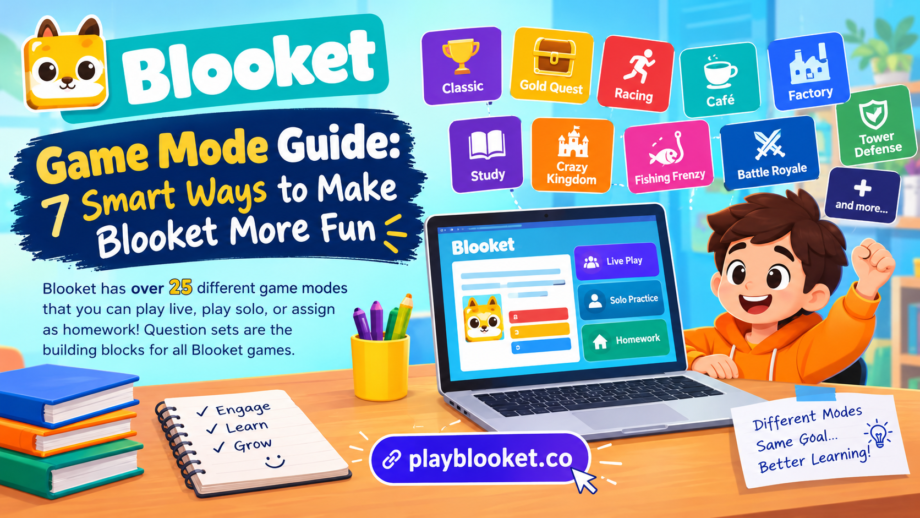
The platform offers more than 25 game modes, including experiences for live classroom sessions, independent practice, and homework. The exact options available can depend on the current platform catalog, seasonal events, and subscription access. Teachers can choose an existing question set or prepare their own before deciding how students will play. Official Blooket game mode guide.
What makes this variety useful is that teachers do not need to create an entirely new quiz whenever they want to change the classroom activity. A carefully prepared question set can support different learning experiences depending on the selected format. Students might answer questions to earn points, collect virtual rewards, build defenses, or complete an individual challenge.
Understanding how these options work can help teachers, students, and parents choose activities that suit their goals. This guide explores the main types of Blooket gameplay, explains how question sets fit into the process, and shares practical ideas for making educational sessions more effective.
What Is a Blooket Game Mode?
A suitable game mode can make a regular quiz more interactive by giving students new challenges, rewards, and opportunities to practice what they have learned.
A game mode is the particular format that determines how an educational quiz is played. It influences what happens after students answer questions, how they earn progress, and what challenges they encounter during a session.
Think of a question set as the learning material and the selected mode as the activity built around it. For example, a set containing multiplication questions can be used in a fast competition, a resource-building challenge, or an individual study session. The questions may remain similar, but the experience can feel completely different.
This approach gives educators flexibility. Some classes enjoy quick competitions, while others prefer activities that involve planning and decision-making. A teacher can experiment with different formats without rebuilding every question from scratch.
Blooket also allows teachers to discover question sets made by other users or create their own. According to its official student guide, the platform has a large library of community-created sets, which can help users find material for different subjects and grade levels.
The important point is that gameplay should support the learning objective rather than distract from it. A lively activity is useful when students are still thinking carefully about the material and learning from their answers.
“Each game mode offers a different way to practice knowledge, making classroom activities more interactive and enjoyable for students.”
How Question Sets Work With Different Modes
Question sets provide the foundation for Blooket activities. They contain the prompts and answers students use while playing. A set might focus on vocabulary, historical dates, scientific concepts, mathematical operations, or a combination of related topics.
Teachers can search the Discover section for an existing set or use the creation tools to prepare their own. When creating a set, they can add a title and description, enter questions, and choose whether the set should be public or private. Public sets can be discovered by other users, while private sets remain visible only to the creator.
A well-organized question set makes the experience smoother. Questions should be clear, answers should be accurate, and the difficulty should match the students’ current knowledge. If the activity is designed for revision, it can include concepts students have already studied. For a new topic, simpler questions may help students build confidence before moving to harder material.
Once the set is ready, the teacher can select an appropriate game format. This is where the platform’s variety becomes particularly useful. One class might use the same vocabulary set during a live competition on Monday and return to it for independent practice later in the week.
The format changes how students interact with the material, but it does not replace the need for good questions. Even the most entertaining activity will have limited educational value if the content is confusing or unrelated to the lesson.
Choosing the right game mode helps teachers present the same questions in different ways without creating an entirely new question set.
Popular Blooket Modes and What Makes Them Different
Blooket’s selection includes competitive games, strategy-based challenges, collection activities, and solo experiences. Each option has different strengths, so the best choice depends on the class, the available time, and the learning objective.
1. Classic: Simple Competition and Quick Feedback
Classic is a straightforward option for teachers who want students to review material in a competitive setting. Participants answer questions and earn points, making it easy to understand the connection between correct answers and progress.
Because the rules are relatively simple, Classic can work well when introducing Blooket to a new class. Students do not need to learn complicated mechanics before focusing on the questions.
Teachers can use this format for spelling practice, arithmetic revision, science terminology, or short end-of-lesson reviews. A brief round can also help reveal which topics students understand and which ones need further explanation.
However, speed should not become the only measure of success. Some students need additional time to read, process information, or work through a difficult problem. Teachers can explain that accuracy and understanding matter more than finishing first.
2. Gold Quest: Rewards and Unexpected Changes
Gold Quest adds an element of chance to the learning experience. Students answer questions to earn opportunities involving virtual gold, and the rewards can change the competition in surprising ways.
This unpredictability often creates excitement because a student’s position can change during the activity. It also provides an opportunity to discuss the difference between knowledge and luck.
For example, a teacher might use Gold Quest for a review session before a science test. Students answer questions about ecosystems, energy, or the human body while collecting rewards throughout the game.
A useful classroom follow-up is to discuss the questions that caused difficulty. The changing scores can make the activity entertaining, but the educational value comes from reviewing the material and correcting misunderstandings.
3. Racing: A Fast-Paced Review
Racing turns answering questions into a race toward the finish line. Players respond to prompts and progress through the activity, with the aim of reaching the end before their competitors.
This format can suit short sessions where the teacher wants to maintain momentum. It may work particularly well for basic vocabulary, multiplication facts, geography questions, or other material students have already practiced.
Teachers should still consider the reading level and complexity of the questions. A student who understands a concept but needs extra time should not automatically be treated as less knowledgeable than someone who answers quickly.
Racing works best when the questions are appropriate for the class and students understand that the goal is to improve their knowledge, not simply to win.
4. Café: Learning Through Resource Management
Café combines answering questions with running a virtual food-serving business. Players respond to questions, serve customers, restock supplies, and make decisions about upgrades.
This creates a different experience from a basic quiz because students must pay attention to more than their answers. They also need to consider how they manage the resources available during the activity.
Teachers might choose Café when they want students to experience a format involving planning and decision-making. The activity can also provide a starting point for conversations about budgeting, priorities, and how businesses manage limited resources.
The questions still matter, so teachers should select a set that matches the lesson. The virtual café provides the setting, while the educational content supplies the practice.
5. Factory: Building and Upgrading
Factory introduces a resource-building experience in which students answer questions to unlock and upgrade virtual characters that generate in-game currency.
Rather than concentrating exclusively on a leaderboard, players have decisions to make about improving their progress. This can encourage students to think about how short-term actions contribute to longer-term goals.
For example, a teacher might use Factory with a set of questions about fractions. Each correct answer supports progress through the activity while students continue reviewing the mathematical concepts.
This type of gameplay may appeal to learners who enjoy systems, upgrades, and incremental improvement. It also offers an opportunity to remind students that careful answers are more valuable than rushing through questions without understanding them.
6. Tower Defense: Strategy Meets Question Practice
Tower Defense combines quiz questions with a strategy challenge. Players build towers and improve their defenses to protect themselves from incoming waves of enemies.
The format requires students to think about placement, upgrades, and how they use available resources. This makes it different from activities that focus mainly on speed or immediate rewards.
Teachers may find it useful for longer review sessions when students have enough time to understand the rules. A short introduction can help beginners learn the basic mechanics before the activity becomes more demanding.
Tower Defense can also encourage persistence. Players may need to reconsider their decisions after a difficult round, which provides a natural opportunity to discuss planning and learning from mistakes.
7. Study: Practice Without Competitive Pressure
Not every student wants a fast competition. Study provides a more direct experience focused on answering questions without the usual game-based competition.
This option can be appropriate when the main objective is individual revision. Students can work through material independently, identify unfamiliar topics, and practice without having to compare their scores with classmates.
A teacher might recommend Study before a test or after introducing a new unit. Students can concentrate on the questions and use the experience to decide which concepts require additional attention.
This is a reminder that the best game mode is not necessarily the most energetic one. Sometimes a quieter format offers a better fit for the task.
8. Crazy Kingdom: Decisions and Memory
Crazy Kingdom is designed around managing a kingdom and responding to the requests of different guests. Players must consider available resources and make choices that affect their progress.
Unlike a short quiz competition, the experience asks students to remember information and think about the consequences of their decisions. It is primarily intended for solo play or homework rather than a standard live-hosted classroom match.
Although it is not a substitute for a formal lesson on decision-making, the format can help students practice considering options before choosing an answer. Teachers can use a follow-up discussion to connect these choices with the broader lesson.
9. Fishing Frenzy: Questions With a Collection Challenge
Fishing Frenzy gives students a fishing-themed experience in which answering questions helps them catch fish and make progress.
The combination of question practice and collection can make a revision session feel less repetitive. Students who enjoy collecting items or seeing visible progress may find the format especially appealing.
It can be used for a range of subjects, provided the selected question set matches the intended learning goal. As with other competitive activities, teachers should review the questions after the session to reinforce the concepts students found difficult.
10. Battle Royale: Head-to-Head Challenges
Battle Royale places players in competitive showdowns, either individually or in teams, with the aim of being the last player or team remaining.
This option can create an energetic atmosphere, particularly for classes that enjoy direct competition. It can be useful for reviewing material that students have already learned and need to recall accurately.
Teachers should establish clear expectations before beginning. Friendly competition can encourage participation, but students should also understand how to respond respectfully when they lose a round or make a mistake.
The variety of these activities demonstrates why choosing a suitable format matters. Different students respond to different challenges, and changing the experience can keep revision from becoming predictable.
Live Play, Solo Practice, and Homework
Blooket activities can be used in several ways, depending on the selected option and the teacher’s plan.
Each game mode offers a different experience, so teachers should check which options support live sessions, independent practice, or homework assignments.
Live Classroom Sessions
Live games allow a teacher to host an activity that students join together. This setup is useful for class reviews, group participation, and activities where students benefit from sharing a learning experience.
A teacher generally selects a question set, chooses a supported mode, and starts the session. Students can join using the information provided by the host.
Live activities work best when the instructions are clear and the session has a defined purpose. For example, a teacher might spend ten minutes reviewing vocabulary before asking students to explain the meanings of the most challenging words.
Independent Solo Play
Solo play gives students the opportunity to practice on their own. It can be useful when a learner wants to repeat questions, review a subject, or explore material without the pressure of a live competition.
Students can browse available sets, select a suitable topic, and choose a supported solo option. Not every activity is available in every format, so it is worth checking the options shown on the platform.
Independent practice is particularly useful when students need different amounts of time to complete the same task.
Homework Assignments
Teachers can also assign supported Blooket activities as homework. The platform allows educators to choose a question set, configure an assignment, set a deadline, and share the homework link with students.
This can help extend practice beyond the classroom. Students can complete an activity at a suitable time while teachers use available reports to review performance.
A homework assignment should have a clear purpose and reasonable expectations. It should reinforce the lesson rather than become a source of unnecessary pressure.
How to Choose the Right Format for Your Class
Choosing a game mode becomes easier when teachers begin with the lesson objective instead of selecting an activity simply because it looks entertaining.
For a short vocabulary review, Classic or Racing may be suitable. When students need a more strategic challenge, Tower Defense or Factory might offer a better experience. For independent revision, Study or another supported solo activity may be more appropriate.
The age of the students also matters. Younger learners may benefit from simple rules and shorter sessions, while older students might enjoy activities that require more planning. Teachers should consider accessibility, reading speed, familiarity with digital tools, and the complexity of the questions.
Another important factor is classroom atmosphere. Some groups thrive on competition, while others participate more comfortably when the emphasis is on individual progress. Rotating between formats can help teachers discover what works for different learners.
It is also sensible to keep sessions focused. A long activity with too many rules may take attention away from the lesson. Starting with a short round allows students to learn the mechanics before moving to more demanding challenges.
Finally, teachers should check the available options before planning the lesson. Some activities are restricted to solo or homework use, while certain modes require Blooket Plus. Seasonal options may also appear or disappear as the platform changes.
Choosing the right game mode helps teachers present the same questions in different ways without creating an entirely new question set.
Before selecting a game mode, consider the students’ age, learning goals, available time, and preferred style of participation.
Tips for Getting Better Learning Results
The way an activity is prepared can have a greater impact than the choice of format alone.
Write clear questions. Avoid confusing wording and make sure each question tests the intended concept. Students should be able to understand what is being asked without unnecessary distractions.
Balance difficulty. Include a mixture of accessible questions and more challenging ones. Easier questions help students build confidence, while harder questions reveal where additional teaching may be needed.
Review mistakes. Once the activity ends, discuss the questions that students found difficult. Explaining why an answer is correct helps turn a game into meaningful practice.
Encourage improvement. Recognize thoughtful answers, persistence, and progress instead of celebrating only the highest score. This creates a more supportive learning environment.
Keep the purpose visible. Explain what students should learn from the activity before it begins. A clear goal helps them connect the game with the lesson.
Choose an appropriate duration. A short session may be ideal for reviewing familiar facts, while a strategy-based activity might need more time. Avoid letting gameplay consume the entire lesson when discussion or written practice is also necessary.
Use results thoughtfully. If performance reports are available, look for patterns rather than judging students from a single score. Repeated mistakes on a particular topic may indicate that the class needs another explanation or a different practice activity.
These habits make it easier to use educational games as part of a broader teaching approach rather than relying on entertainment alone.
Common Mistakes to Avoid
One common mistake is choosing an activity before deciding what students should learn. An entertaining experience may keep everyone busy, but it will not automatically improve understanding. The questions and the learning objective should come first.
Another mistake is treating speed as the only sign of ability. Students process information at different rates, and some questions require careful reasoning. Teachers should make room for accuracy, explanation, and improvement.
It is also unhelpful to repeat the same format every time. Variety can make revision more engaging, especially when students are familiar with the subject but need another opportunity to practice.
At the same time, switching activities too frequently can create confusion. Students need enough time to understand the rules and focus on the material. A balanced approach introduces variety without sacrificing clarity.
Finally, teachers should not assume every feature is available to every user. Access can depend on the subscription plan, the selected activity, and the platform’s current offerings. Checking the official documentation before a planned lesson can prevent unnecessary interruptions.
Frequently Asked Questions
How many game modes does Blooket offer?
Blooket’s official game mode previews describe a collection of more than 15 modes, while broader current listings describe more than 25 when additional and seasonal options are counted. The catalog can change, so the official mode list is the best place to check which activities are currently available.
Can students use the same question set with different activities?
Yes. A question set can often be used with multiple supported formats. The questions provide the educational content, while the selected activity determines how students interact with it.
Can Blooket be used for homework?
Yes. Teachers can assign supported activities as homework, set deadlines, and share an assignment link with students. The available formats depend on the assignment and current platform options.
Is Blooket only for competitive learning?
No. Although several activities emphasize competition, the platform also offers individual practice and strategy-based experiences. Teachers can select options that match their students’ needs and the goals of the lesson.
Does every activity require a paid subscription?
No. Blooket offers free features, but certain activities and additional capabilities are restricted to Plus subscribers. Teachers should check the official feature information to understand current access requirements.
Experimenting with another game mode can help students stay interested while reinforcing important concepts through repeated question practice.
Conclusion
Blooket gives teachers several ways to make question practice more interactive. From quick competitions such as Classic and Racing to strategic experiences such as Tower Defense and Factory, the platform provides different approaches to reviewing educational material.
The real advantage is flexibility. A teacher can use a familiar question set in a different format, assign independent practice, or host a shared classroom session without having to rebuild the entire learning activity each time.
Choosing the right game mode starts with understanding the students and the lesson. Consider the subject, the available time, the desired level of competition, and the kind of thinking students need to practice. Then use the activity as a starting point for discussion, feedback, and further learning.
When questions are well prepared and gameplay is used with a clear purpose, Blooket can make revision feel more engaging while keeping educational progress at the center of the experience.
