
Creating an enjoyable classroom activity starts with choosing the right way to present information. Blooket gives teachers and students a flexible way to turn ordinary study material into interactive games. When building a new set, understanding how each question type works can make the experience more useful, enjoyable, and effective for everyone involved.
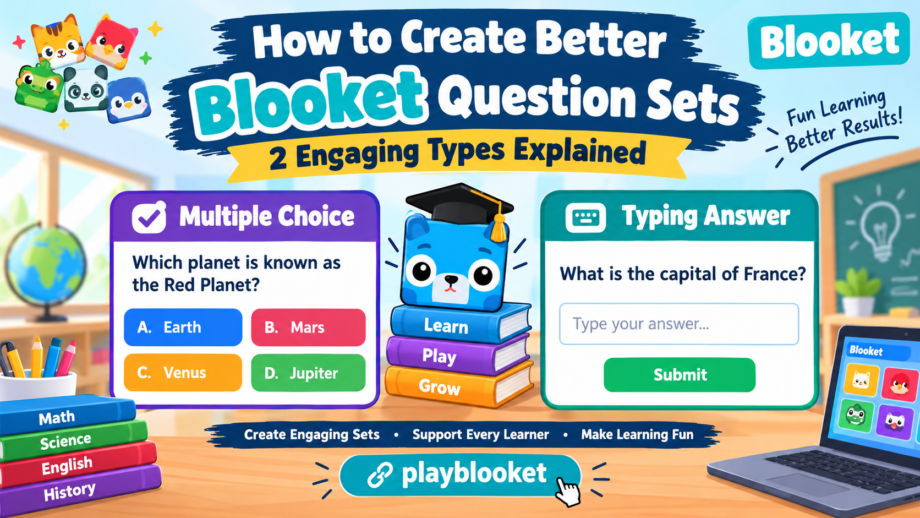
Blooket mainly offers two ways to collect answers when creating a set: Multiple Choice and Typing Answer. Both options help educators review important concepts, but they work differently. One allows players to select from several possible answers, while the other asks them to enter an answer themselves. Choosing between these formats depends on the subject, students’ skill levels, and the learning goal.
A well-designed Blooket activity is more than a collection of facts. It gives learners opportunities to recall information, recognize patterns, correct misunderstandings, and build confidence. By learning how to use both formats, teachers can prepare activities that support different learning needs without making the process unnecessarily complicated.
Understanding Question Types in Blooket
Before creating a new set, it helps to understand what each format is designed to accomplish. Multiple Choice is useful when students need to identify the correct option from a list. Typing Answer is better suited to activities where learners must remember information and produce a response independently.
The right question format depends on what students should demonstrate. For example, identifying a historical date may work well with multiple options, while spelling a vocabulary word can be more challenging when students must type it without assistance.
Teachers should also consider how familiar learners are with the topic. Beginners may benefit from answer choices that provide clues, while advanced students may need activities that require independent recall. A combination of both formats can help balance accessibility and challenge.
The goal is not to make every activity difficult. Instead, the aim is to create a learning experience that encourages participation while giving students a meaningful opportunity to practise what they know.
1. Multiple Choice: A Simple Way to Test Knowledge
Multiple Choice is a popular format because it is easy to understand and works across many subjects. Students read a prompt, review the available options, and select the answer they believe is correct.
This structure is particularly useful in classrooms where learners are reviewing material for an upcoming test. Teachers can use it to check basic understanding, introduce unfamiliar concepts, or identify areas that need additional explanation.
For instance, a science set might ask students which planet is known as the Red Planet. The available choices could include Earth, Mars, Venus, and Jupiter. Students must recognize the correct option rather than type the planet’s name.
A good question in this format should be clear enough that students understand exactly what is being asked. The answer options should also be relevant to the topic instead of including confusing or unrelated choices.
Benefits of Multiple Choice
One advantage of this format is that it allows students to demonstrate recognition. Even when they cannot immediately recall a fact, they may identify the correct answer by comparing the options.
Multiple Choice can also help teachers cover a broad range of material in a short period. A vocabulary review, mathematics practice session, or geography activity can include several topics without requiring students to write long responses.
Another benefit is that incorrect options can reveal common misunderstandings. If many students select the same wrong answer, the teacher may discover that a particular concept needs further explanation.
Teachers can use these results to guide future lessons rather than treating the game as an activity with no connection to classroom learning.
How to Write Effective Multiple-Choice Prompts
Start with one specific learning objective. Decide what students should know after completing the activity, then write prompts that measure that knowledge.
Avoid placing too much information into a single prompt. Long sentences can make students focus on reading complexity rather than the subject itself. Simple wording usually produces a more accessible experience.
The available answers should be plausible but distinguishable. If one option is obviously correct and the others are completely unrelated, students may succeed without understanding the lesson.
For example, a mathematics activity could ask, “What is 8 multiplied by 7?” Possible answers might be 48, 54, 56, and 64. Each option represents a number that a student might reasonably consider, but only one is correct.
A carefully prepared question should test knowledge instead of relying on tricks. Avoid confusing wording, unnecessary negatives, and options that overlap in meaning.
Teachers should also review the correct answer before publishing the set. A small mistake in the answer key can confuse learners and reduce their trust in the activity.
2. Typing Answer: Encourage Independent Recall
Typing Answer changes the experience by requiring students to enter a response instead of choosing from a list. This format encourages independent recall because learners cannot simply recognize the correct option among several alternatives.
It works particularly well for spelling practice, short factual responses, terminology, names, and other topics where students need to remember specific information.
For example, a language teacher might ask students to provide the English word for a familiar object in another language. A geography activity could ask for the name of a country’s capital, while a science set might request the name of a particular process.
The student must retrieve the information from memory and enter the response. This makes the task different from selecting a familiar-looking answer.
However, teachers should consider how the platform evaluates typed responses. Depending on the supported settings and answer-matching rules, variations in spelling, punctuation, capitalization, or wording may affect whether a response is accepted. Test the set before sharing it with a class.
Benefits of Typing Answer
Typing Answer can encourage stronger recall because students must produce information rather than merely recognize it. This is useful when the learning objective involves remembering terminology or accurately spelling important words.
The format also helps teachers practise concise responses. Students can become more comfortable recalling vocabulary, historical names, scientific terms, and mathematical results without relying on a list of choices.
It can be especially helpful after learners have already studied a topic. Teachers might begin with Multiple Choice to introduce the material and then use Typing Answer to check whether students can remember it independently.
A well-prepared question in this format should have a short, clearly defined expected answer. If a prompt could reasonably produce several different responses, the teacher should revise it or explain the acceptable answer more precisely.
Tips for Writing Typing Answer Prompts
Keep prompts specific and avoid asking for lengthy explanations when the activity expects a short response.
For example, instead of asking students to describe everything they know about the solar system, ask them to name the planet closest to the Sun. The expected response is clear, making the activity easier to evaluate.
For vocabulary practice, ensure that the requested word has an identifiable spelling. For mathematics, indicate whether the answer should be a whole number, decimal, fraction, or another form when necessary.
Teachers should also consider students’ ages and typing abilities. Younger learners may understand a concept but struggle to enter a long word quickly. In those cases, short responses can make the activity more appropriate.
Before publishing a set, enter a few sample responses and confirm that the platform handles them as expected. This simple check can prevent avoidable confusion during class.
Multiple Choice vs. Typing Answer: Which Is Better?
Neither format is automatically better for every lesson. The best choice depends on the skills being practised and the level of independence expected from students.
Multiple Choice generally works well for recognition, comparison, and broad knowledge reviews. Typing Answer is often more suitable for recall, spelling, terminology, and short factual responses.
Consider a lesson about the periodic table. A Multiple Choice activity could ask learners to identify the chemical symbol for oxygen from several options. A Typing Answer activity could require them to enter the symbol themselves.
Both activities cover similar material, but they measure knowledge in slightly different ways.
Teachers can use the following comparison when planning a set:
| Feature | Multiple Choice | Typing Answer |
|---|---|---|
| Response method | Select an option | Enter a response |
| Main skill | Recognition | Independent recall |
| Helpful for | Broad reviews and concept checks | Vocabulary and factual recall |
| Preparation | Create clear answer choices | Define the expected response |
| Common challenge | Guessing between options | Spelling or answer matching |
| Classroom use | Introducing and reviewing topics | Practising remembered information |
A balanced activity may include both formats across separate sets or lessons. This approach gives learners opportunities to recognize correct information and retrieve it independently.
The important thing is to align each question with the intended learning outcome. A format should support the lesson rather than be selected simply because it looks more entertaining.
How to Create a Blooket Set Step by Step
Creating an effective set begins with a clear plan. Before opening the editor, decide which subject you want to cover and what students should learn from the activity.
Step 1: Choose a Focused Topic
Select a manageable topic, such as multiplication, vocabulary, world capitals, or basic science. A focused set is usually easier for students to follow than one that mixes unrelated subjects.
Write down the main learning objectives before creating the prompts. This will help you decide which facts are essential and which details can be left out.
Step 2: Prepare Your Questions and Answers
Draft your content before entering it into Blooket. This allows you to review the wording, check accuracy, and identify repeated material.
Each question should address one main idea. Keep the language suitable for your intended audience and avoid including unnecessary details that make the task harder to understand.
For Multiple Choice, prepare plausible alternatives and identify the correct response. For Typing Answer, decide on the expected wording and consider whether spelling variations might cause problems.
Step 3: Open the Set Creator
Visit the official Blooket website and sign in to an account that can create sets. Open the available creation tools and follow the current interface to start a new set.
Interface labels and available features can change, so follow the instructions displayed on the website rather than relying on outdated screenshots.
Enter a descriptive title that helps you identify the topic. A useful description can explain the subject, target age group, or learning purpose.
Step 4: Select the Appropriate Answer Format
Use the Multiple Choice option when learners should select from provided answers. Choose Typing Answer when students should supply a response themselves.
Check the available controls carefully because the exact options may depend on the current editor.
Try to keep the format consistent with the skill being assessed. A spelling activity may benefit from typed responses, while a broad introductory science review may work better with answer choices.
Step 5: Review Every Entry
Proofread the set before saving or sharing it. Check the spelling, punctuation, answer options, and correct answers.
A single incorrect answer key can undermine an otherwise useful activity. Ask another teacher or student to review difficult prompts when possible.
Also check whether any question has more than one reasonable answer. If it does, rewrite the prompt to make the expected response clearer.
Step 6: Test the Activity
Preview the set or test it using the available tools. Confirm that the answers behave as expected and that the wording makes sense when displayed during gameplay.
Testing is particularly important for Typing Answer because response matching may be affected by the way answers are entered.
Make corrections before sharing the activity with a large class. A short review can save time and prevent frustration later.
Writing Better Questions for Different Subjects
Different subjects require different approaches. A good classroom set should reflect the type of thinking students need to practise.
Mathematics
Mathematics prompts should focus on one calculation or concept at a time. Multiple Choice can help learners compare possible solutions, while Typing Answer can require them to calculate a result independently.
For example, students might select the correct answer to a multiplication problem before completing a later activity in which they enter the product themselves.
Teachers should avoid unnecessarily complicated wording. The main purpose is to practise mathematical reasoning, not to test whether students can interpret a confusing sentence.
Science
Science activities can cover definitions, processes, chemical symbols, and relationships between concepts.
Multiple Choice is helpful for identifying scientific terms or comparing related ideas. Typing Answer can reinforce the names of processes, elements, and structures.
A carefully designed question should use scientifically accurate language and match the level of detail students have studied.
English and Vocabulary
Language activities can include word meanings, spelling, grammar, synonyms, and sentence structure.
Multiple Choice can help students distinguish between similar words. Typing Answer can support spelling practice and memory for vocabulary.
When preparing a vocabulary set, avoid unclear definitions that could match several words. Context sentences can make the intended meaning more obvious.
History and Geography
History sets can review important events, people, and dates. Geography activities can cover countries, capitals, rivers, and landmarks.
Multiple Choice is useful when students are comparing several possibilities. Typing Answer can encourage independent recall of names and locations.
Teachers should verify historical dates and geographical facts before publishing the activity. Accuracy is essential when students use a game as a study resource.
Common Mistakes to Avoid
Even a well-designed platform cannot compensate for poorly written content. Several mistakes can reduce the educational value of a Blooket set.
Using vague wording: If students cannot understand what a prompt asks, their results may reflect confusion rather than knowledge. Make the intended task clear.
Making every activity too difficult: A set containing only advanced material can discourage beginners. Start with manageable tasks and gradually increase complexity.
Repeating the same material excessively: Repetition can support learning, but copying identical prompts throughout a set makes the activity less engaging. Review related concepts from different angles instead.
Writing misleading options: Multiple Choice alternatives should help assess understanding, not trick students through unnecessarily confusing language.
Ignoring answer matching: Typing Answer requires special attention to expected responses. Check how the current platform evaluates entries before using the set with a class.
Skipping proofreading: Spelling errors, inaccurate facts, and incorrect answer keys can confuse students. Review the entire set before sharing it.
Focusing only on speed: Fast gameplay can be exciting, but students also need opportunities to understand why an answer is correct. Discuss difficult items after the activity.
These improvements help ensure that each question contributes to a meaningful learning experience instead of simply filling space in a game.
Ways to Make Blooket Activities More Engaging
Engagement begins with relevant content. Students are more likely to participate when the material connects to their interests, current lessons, or everyday experiences.
Use familiar examples when introducing difficult ideas. A mathematics activity might use shopping prices, while a science set could connect classroom concepts with objects students see around them.
Vary the difficulty across the activity. Begin with straightforward prompts that build confidence, then introduce more challenging material as students become comfortable.
Teachers can also organize sets around a specific theme. For example, a geography review might focus on Asian countries, while a language activity could explore common expressions and vocabulary.
Another useful strategy is to discuss common mistakes after the game. If several students miss the same item, explain the concept and give them another opportunity to practise it.
Avoid making competition the only measure of success. Some students need additional time to process information, and a supportive classroom environment can help them participate more confidently.
A strong question should encourage thinking while remaining appropriate for the learner’s current level. The best activities combine clear instructions, accurate content, and opportunities to improve.
Using Results to Improve Future Lessons
Blooket activities can provide useful feedback about student understanding. However, a game score alone does not always reveal why a student selected an incorrect answer.
Teachers should look for patterns across the activity. If many students struggle with one topic, it may need to be explained again. If only a few learners have difficulty, individual support or additional practice may be more appropriate.
Use the results to identify which concepts need further attention. Then create a short follow-up activity focused on those areas.
For example, a class reviewing fractions might perform well on basic identification tasks but struggle with equivalent fractions. The next set could concentrate on that specific skill rather than repeating every topic from the previous lesson.
When creating follow-up material, revise any confusing question before using it again. A poorly written prompt may produce misleading results about student understanding.
Teachers should also invite feedback from learners. Ask whether the instructions were clear, which topics felt difficult, and whether the activity helped them understand the lesson.
This information can make future sets more effective and better suited to the class.
Final Thoughts
Blooket provides a flexible way to turn classroom material into interactive learning activities. Its Multiple Choice and Typing Answer formats offer different ways for students to demonstrate their knowledge.
Multiple Choice supports recognition and comparison, making it useful for introductory lessons and broad reviews. Typing Answer encourages independent recall and can be especially helpful for spelling, vocabulary, terminology, and short factual responses.
The most effective activities begin with clear learning objectives, accurate content, and carefully prepared answers. Teachers should review every entry, test the set, and use student results to identify concepts that need more attention.
When planning your next Blooket activity, choose the format that matches the skill you want students to practise. Keep the wording clear, make the content relevant, and provide opportunities to discuss mistakes.
With thoughtful preparation, every question can become part of a more engaging and purposeful classroom experience. The goal is not simply to finish a game quickly, but to help learners understand important ideas and remember them beyond the activity.
