
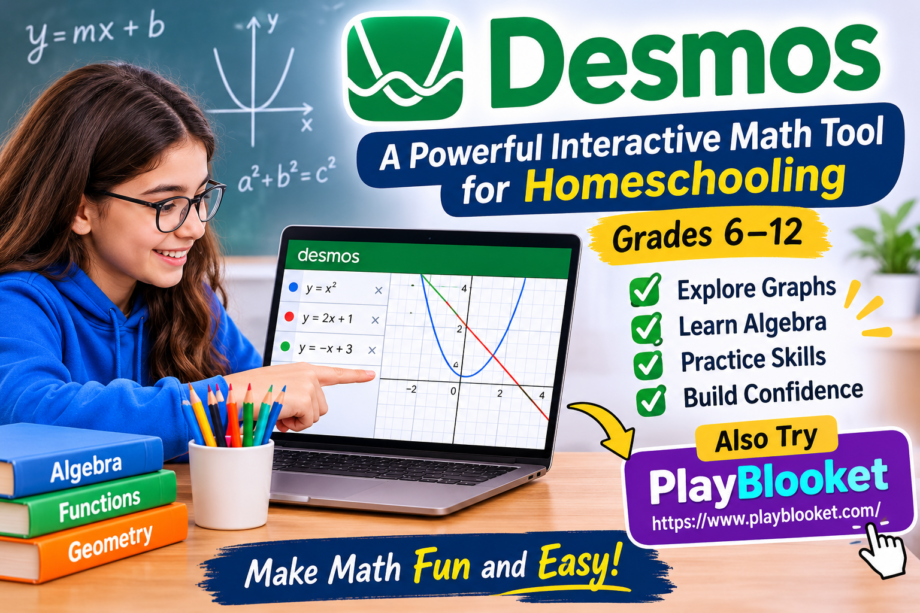
Mathematics can be one of the most interesting subjects when students have the opportunity to explore ideas instead of simply memorizing formulas. For many homeschooling families, finding digital resources that make math lessons engaging, flexible, and easy to understand is an important part of building a successful learning routine. This is where Desmos becomes a valuable educational resource.
Desmos is an interactive graphing platform that helps students visualize mathematical concepts through graphs, equations, tables, and interactive activities. Instead of looking at numbers and formulas as separate pieces of information, learners can see how mathematical relationships work in real time. This approach can make challenging topics easier to understand, particularly for students in grades 6 through 12.
Homeschooling parents can use the platform to introduce new concepts, support daily lessons, and give students opportunities to practice independently. Whether a student is learning basic algebra or exploring advanced functions, interactive technology can make the experience more meaningful.
What Is Desmos and How Does It Work?
Desmos is an online mathematical learning platform best known for its graphing calculator. It allows users to enter equations and instantly see their graphical representations. Students can change values, experiment with different expressions, and observe how those changes affect a graph.
For example, when a learner enters a simple linear equation, the platform displays its corresponding line. Changing the slope or intercept immediately changes the graph. This visual connection helps students understand why equations behave the way they do.
The platform also offers classroom activities and educational resources that teachers and homeschooling parents can incorporate into their lessons.
One reason Desmos stands out is its accessibility. Students can use its graphing tools through a web browser or supported mobile devices. They do not need to install complicated mathematical software to begin exploring basic concepts.
Why Homeschooling Families Can Benefit From Desmos
Homeschooling offers flexibility, but it also requires parents to find suitable materials for different learning levels. Some children understand mathematical concepts through reading, while others need visual examples and hands-on activities.
Desmos supports this variety by allowing students to interact directly with mathematical information.
Here are several reasons homeschooling families may find it useful:
- Visual learning: Graphs make abstract mathematical ideas easier to recognize.
- Independent practice: Students can explore equations and test different solutions.
- Flexible lessons: Parents can introduce activities according to their children’s learning pace.
- Immediate feedback: Changes appear on the screen, helping students notice mathematical patterns.
- Multiple skill levels: The tools can support topics ranging from middle-school mathematics to high-school functions.
Another advantage is that parents can combine digital activities with traditional worksheets, textbooks, and handwritten exercises.
Important Mathematical Topics Students Can Explore
The platform can support several mathematical subjects commonly taught between grades 6 and 12.
1. Fractions and Basic Number Relationships
Students often begin studying more complex mathematical relationships during middle school. Fractions, decimals, percentages, and ratios provide the foundation for later algebra lessons.
Interactive visual representations can help learners compare values and understand how numbers relate to one another.
Parents can create simple exercises that ask students to represent fractions, compare quantities, or investigate numerical patterns.
2. Algebra and Linear Equations
Algebra becomes easier to understand when students can connect equations with visual representations.
For instance, learners can enter equations such as:
- y = 2x + 3
- y = x – 4
- y = -3x + 2
After entering each expression, students can compare the resulting lines and identify differences in their slopes and intercepts.
Desmos makes this process interactive. Instead of simply reading an explanation, students can change numbers and immediately observe the results.
3. Coordinate Geometry
Coordinate geometry introduces students to points, lines, distances, and relationships between locations on a graph.
The graphing calculator allows learners to plot coordinates and explore how different points form shapes or mathematical patterns.
Parents can use this feature to create activities involving triangles, rectangles, parallel lines, and other geometric concepts.
4. Functions and Their Graphs
Functions are an important part of high-school mathematics. Students learn how one variable changes in response to another.
With Desmos, learners can enter different functions and compare their graphical behavior.
For example, they can explore:
- Linear functions
- Quadratic functions
- Exponential functions
- Absolute value functions
- Polynomial functions
Seeing these graphs together can help students recognize differences between their shapes and understand how mathematical rules influence their appearance.
5. Trigonometry
Older students can use graphing tools to investigate trigonometric functions.
Sine, cosine, and tangent functions can initially appear difficult because they involve patterns that are not always obvious from equations alone.
Interactive graphs allow students to explore how changing values affects the shape, period, and position of these functions.
This makes the learning process more experimental and less dependent on memorization.
How to Use Desmos in a Homeschooling Lesson
Getting started does not require a complicated teaching plan. Parents can introduce the platform through a simple activity and gradually incorporate more advanced exercises.
Here is a practical approach.
Step 1: Open the Graphing Calculator
Visit the official Desmos website and open the graphing calculator.
Students can begin by entering a basic equation. A linear expression is a good starting point because its graphical representation is relatively easy to understand.
Step 2: Introduce One Mathematical Concept
Avoid presenting too many new ideas in one session.
For example, if the lesson focuses on slope, explain what slope means before asking students to experiment with different equations.
This gives learners a clear objective.
Step 3: Encourage Experimentation
Ask students to change one number at a time and observe the result.
They might investigate what happens when the slope becomes negative or when the y-intercept increases.
These small experiments encourage curiosity and help students develop stronger mathematical reasoning.
Step 4: Connect Screen Activities With Written Work
Digital exploration should not replace every traditional learning activity.
After completing an interactive exercise, ask students to write down what they discovered. They can explain how an equation changed the graph or solve a similar problem independently.
This combination helps reinforce understanding.
Step 5: Review the Results
At the end of the lesson, discuss the student’s observations.
Ask questions that encourage explanation rather than simple memorization. For example, why did the line become steeper when the slope increased?
These discussions help parents identify areas that may require additional practice.
Desmos Activities That Make Math More Interesting
A useful way to introduce a digital learning platform is through short challenges. Homeschooling students often respond well when lessons include opportunities to experiment and solve problems.
Here are some activities parents can try.
The Moving Line Challenge
Ask students to create a linear equation and change its slope several times.
Their task is to describe how the line moves and whether it becomes steeper or flatter.
This activity introduces important algebraic relationships without requiring a long theoretical explanation.
Create a Picture With Equations
Students can experiment with mathematical expressions to create simple drawings.
Different equations can produce lines, curves, circles, and other shapes. Combining these elements allows learners to discover a creative side of mathematics.
This is particularly useful for students who enjoy art and visual projects.
Compare Two Functions
Give learners two different equations and ask them to graph both.
They can investigate where the graphs intersect, how their shapes differ, and what happens when the input values change.
This activity builds confidence in interpreting mathematical information.
Explore Quadratic Patterns
Ask students to graph a quadratic equation and investigate how changing its coefficients affects the resulting curve.
They can observe the vertex, direction, and width of the parabola.
These experiments provide a practical introduction to quadratic functions.
Desmos vs. Traditional Math Learning
Traditional textbooks remain important educational resources, but they sometimes make abstract ideas difficult to visualize.
A printed example may show an equation and its final graph. However, students might not understand how changing one part of the equation affects the entire result.
Desmos provides an opportunity to investigate those relationships.
| Learning Method | Main Advantage |
|---|---|
| Textbooks | Structured explanations and examples |
| Worksheets | Repeated practice and problem-solving |
| Graphing calculators | Numerical and graphical exploration |
| Desmos activities | Interactive mathematical discovery |
The strongest approach is usually a combination of these methods.
Parents can introduce a concept through a textbook, use an interactive graph to demonstrate it, and finish with written exercises to check understanding.
Can Desmos Replace a Homeschooling Math Curriculum?
Although Desmos offers useful learning tools, it should not be considered a complete replacement for a structured mathematics curriculum.
A full homeschool program normally includes lesson objectives, explanations, practice questions, assessments, and a planned progression from basic to advanced subjects.
The platform is most effective when used as a supporting resource.
For example, a student studying algebra can use a textbook to learn the rules of equations, practice calculations on paper, and explore the graphical meaning of those equations through interactive tools.
Parents should also check whether the activities match their child’s current grade level and educational requirements.
Desmos and Blooket: Two Different Approaches to Learning
Educational technology includes many platforms, but different tools serve different purposes.
Desmos focuses on mathematical exploration, graphing, and understanding relationships between numbers and functions.
Blooket, on the other hand, uses game-based learning to make quizzes and classroom practice more engaging. Students can participate in educational games that combine questions with interactive game mechanics.
Both platforms can have a place in a homeschooling routine.
For example, parents might introduce a new algebra topic using Desmos and then use a Blooket quiz to review important terms and mathematical concepts.
This combination offers two different learning experiences: visual exploration and game-based revision.
The goal is not to use as many educational websites as possible. It is to choose resources that support the learning objectives of each lesson.
Tips for Parents Teaching Mathematics at Home
Using digital tools successfully requires more than opening a website. Parents should think about how each activity fits into the overall lesson.
Consider these practical suggestions:
Set clear learning goals: Decide what your child should understand before starting an activity.
Keep sessions manageable: Short, focused lessons can be more effective than lengthy sessions filled with too many new concepts.
Encourage questions: Let students experiment and explain what they notice instead of immediately providing every answer.
Balance digital and written practice: Use interactive activities alongside handwritten calculations.
Review progress regularly: Check whether your child can apply the concept without depending entirely on the graphing tool.
Adjust the difficulty: Start with simple examples and introduce more advanced mathematical relationships as confidence improves.
These habits help create a more organized homeschooling environment.
Final Thoughts
Mathematics becomes easier to explore when students can see how numbers, equations, and graphs connect. For homeschooling families teaching grades 6 through 12, Desmos offers an interactive way to introduce mathematical ideas and encourage independent discovery.
From basic algebra and coordinate geometry to functions and trigonometry, its graphing tools provide opportunities to experiment with concepts that might otherwise seem abstract.
However, technology works best when it supports a thoughtful teaching plan. Combining interactive activities with textbooks, worksheets, discussions, and regular assessments can create a balanced learning experience.
Whether parents are introducing their children to linear equations or helping older students investigate advanced functions, Desmos can be a useful addition to a flexible homeschooling toolkit.
