
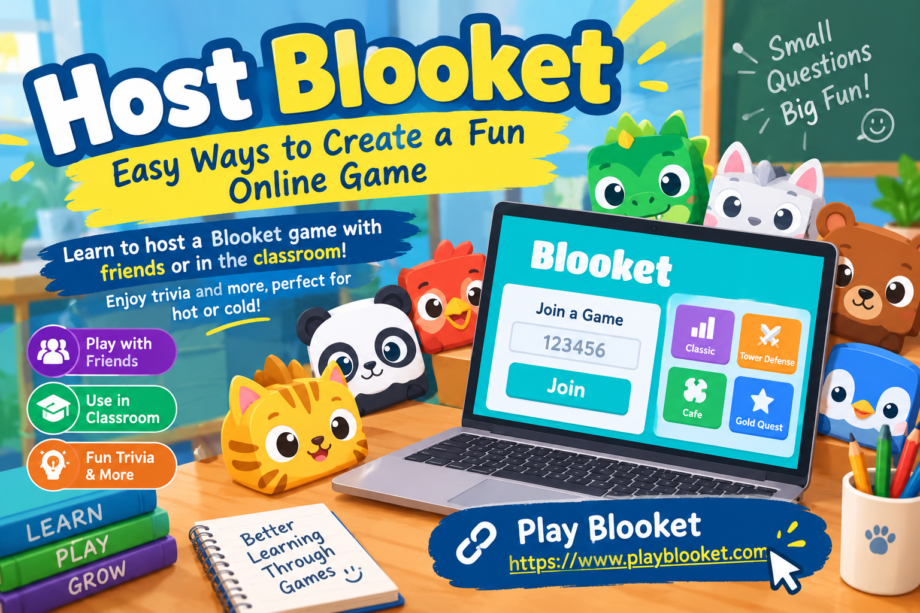
Online learning does not always have to feel like studying. Sometimes, a little competition, a few laughs, and a colorful game can make a lesson much more memorable. That is where Blooket can be useful. It combines quiz questions with game-style activities, giving students and friends a simple way to participate together.
If you are wondering how to host blooket games successfully, the process is fairly straightforward. A host can choose a question set, select an appropriate game mode, and invite players to join. Once everyone is ready, the game turns ordinary questions into an interactive activity.
Blooket can work for classrooms, study groups, family activities, online clubs, and casual games with friends. The best part is that the host does not need to make every session complicated. With the right preparation and a few creative ideas, even a short game can become something participants look forward to.
What Is Blooket?
Blooket is an online quiz-based game platform designed around interactive learning. Instead of presenting questions in a traditional quiz format, it places them inside different game experiences. Players answer questions and use their results within the selected game mode.
The platform is especially popular in educational settings because teachers can use questions connected to subjects students are already learning. However, the concept is not limited to classrooms. Friends can create trivia sessions, families can test each other’s knowledge, and groups can use custom questions for different occasions.
The person running the session acts as the host. Their job is to select the content, start the game, provide the joining information, and manage the session while players participate.
Why Host a Blooket Game?
There are plenty of reasons to host blooket sessions instead of relying on a standard quiz.
First, the game format can make participation feel less formal. A student who normally finds a worksheet boring may become more interested when the same questions are connected to a game.
Second, Blooket can encourage friendly competition. Participants can see how their answers affect their progress, which gives them another reason to stay engaged.
It can also be flexible. A teacher might use a short session as a review activity before an exam, while friends could use the platform for general trivia. The same basic process can support very different types of activities.
Another advantage is that a host can control the content. Rather than using random questions, the session can focus on vocabulary, mathematics, science, history, general knowledge, or any other topic that fits the group.
Getting Ready Before the Game
Before you host blooket, spend a few minutes preparing. Good preparation can prevent many small problems once the game begins.
Start by deciding who will play. A classroom activity may require different questions from a game between friends. Knowing your audience helps you choose an appropriate difficulty level.
Next, decide what you want participants to learn or accomplish. If the goal is revision, choose questions that reinforce material already covered. If the goal is entertainment, trivia and unusual facts can make the session more relaxed.
It is also worth checking your internet connection and making sure your device is ready. If you are presenting the game to a classroom, open the required pages before students begin joining.
Finally, decide approximately how long you want the activity to last. A short ten-minute review can be effective, while a larger group may enjoy a longer competition.
Choosing a Question Set
The questions are one of the most important parts of a Blooket game. A fun game can quickly lose its appeal if every question is confusing, overly difficult, or unrelated to the participants.
When you host blooket, choose questions that match the experience level of your audience.
For younger students, short questions with clear answers may work better. Older students can usually handle more detailed questions or questions that require careful thinking.
You can also mix question types. For example, a general trivia game could include questions about geography, animals, science, sports, history, and popular culture.
For classroom use, keep the questions connected to the lesson. If students have just studied fractions, a game containing unrelated trivia may be entertaining but will not necessarily reinforce the material.
A useful approach is to begin with easier questions and gradually introduce more challenging ones. This gives participants confidence at the beginning while still providing a challenge later.
Creating Your Own Blooket Questions
One of the most useful options for a host is creating questions specifically for the group.
Suppose a teacher has just completed a lesson about the solar system. Instead of searching for a generic quiz, the teacher can prepare questions based directly on that lesson.
The same idea works outside school.
A family could create a quiz about family memories. Friends could prepare questions about movies, games, sports, or shared experiences. A study group could turn its revision notes into a question set.
When you host blooket using custom questions, you have greater control over the difficulty and subject matter.
Try to keep each question easy to understand. Avoid unnecessarily complicated wording when a simple sentence can communicate the same idea.
It is also helpful to review your answer choices before starting. A typo or incorrect answer can cause unnecessary confusion during the game.
How to Host a Blooket Game
Once your questions are ready, you can begin the session.
The general process involves opening Blooket, selecting the content you want to use, and choosing a game mode. After selecting the appropriate options, the host starts the session and receives information that players can use to join.
Participants then enter the provided joining information from their own devices. Once everyone has entered the game, the host can begin.
The exact appearance of the interface may change over time, but the basic idea remains the same: the host controls the session while participants answer questions and interact with the selected game.
If you plan to host blooket for a classroom, display the joining information somewhere everyone can easily see it. For an online group, you can provide the information through your normal communication channel.
Before starting, give players a moment to confirm that they have successfully joined.
Selecting the Right Game Mode
Blooket includes different game experiences, and the right choice depends on your audience.
Some modes emphasize competition, while others may involve strategy, collecting, or other game mechanics. When choosing a mode, think about the age and interests of your players.
A younger group may enjoy a colorful and straightforward experience. Older students may appreciate modes that introduce more strategy.
For a classroom review, the game should support the lesson rather than distract from it. The purpose is not simply to make students click answers as quickly as possible. Ideally, the game should encourage them to think about the material.
If you host blooket regularly, experimenting with different modes can help keep sessions from becoming repetitive.
Making the Game More Exciting
A good host does more than press the start button.
Your interaction with the group can make the session much more enjoyable. Encourage participants, celebrate interesting answers, and keep the atmosphere friendly.
You can also create small themes for different sessions.
For example, a Friday afternoon game could be a general trivia challenge. A science lesson could use questions about space or animals. A language class could focus on vocabulary.
Another idea is to create a gradual challenge. Start with straightforward questions, move into medium-level questions, and finish with a few questions that require deeper thinking.
If you host blooket for friends, you can also add humorous questions or inside jokes as long as everyone understands them.
Keeping Competition Friendly
Competition can make a game exciting, but too much pressure can have the opposite effect.
Remind players that the goal is participation and learning, not simply finishing first. When someone gets an answer wrong, avoid making the mistake embarrassing.
In a classroom, this is particularly important. Students have different levels of confidence and knowledge. A supportive environment allows them to participate without worrying about being mocked.
A host can also praise good effort instead of focusing entirely on the final rankings.
This makes the experience more welcoming and can encourage quieter participants to join future games.
Using Blooket for Classroom Review
Teachers can use Blooket as a review activity before a test or after completing a topic.
For example, after finishing a chapter, a teacher can prepare a question set containing important definitions, concepts, formulas, or facts from that chapter.
Students answer the questions while the game mechanics provide an additional layer of engagement.
The activity can also reveal topics that students may not fully understand. If many participants miss the same question, the teacher may decide to explain that concept again.
This makes a Blooket session more than entertainment. It can become a quick way to identify areas that need additional attention.
When teachers host blooket games for review, it can be useful to discuss difficult questions after the game finishes. This connects the activity back to the actual lesson.
Using Blooket With Friends
Blooket does not have to be limited to education.
Friends can create trivia sessions for birthdays, online hangouts, game nights, or casual competitions.
A group might create categories such as movies, music, sports, geography, technology, food, or random facts.
The best questions for a friend group often combine things everyone knows with a few unexpected challenges.
You can also create themed rounds. One round might contain easy questions, another could focus on difficult trivia, and a final round could contain questions selected by the participants.
If you host blooket with friends, remember that the game becomes more entertaining when everyone gets a chance to contribute.
Tips for Better Questions
Question quality can make a major difference.
Here are several useful guidelines:
- Keep wording clear and direct.
- Avoid unnecessary information.
- Make sure the correct answer is actually correct.
- Check spelling before starting.
- Avoid questions with multiple technically correct answers.
- Mix easy and difficult questions.
- Use different subjects when appropriate.
- Keep the questions relevant to the audience.
For educational sessions, questions should support the learning objective.
For entertainment sessions, creativity matters more. Interesting scenarios and unusual facts can make people curious about the next question.
A host should also avoid making every question extremely difficult. If players consistently get everything wrong, the game can become frustrating rather than fun.
Handling a Large Group
Large groups can require additional organization.
If you host blooket for a full classroom, make sure everyone understands how to join before beginning the first round.
Explain the basic rules briefly. Participants should know what they are expected to do and how the selected game works.
It can also help to establish simple expectations about device use. Students should stay on the game rather than opening unrelated websites or applications during the activity.
If someone has trouble joining, pause briefly when possible and help them resolve the problem.
For very large groups, keeping instructions short and clear can save considerable time.
What to Do When Something Goes Wrong
Technical problems can happen with any online activity.
A player may have a slow connection, accidentally leave the game, or have difficulty entering the joining information.
The host should remain calm and handle problems one at a time.
If a participant cannot join, check the basic details first. Make sure they are using the correct joining information and that their internet connection is working.
If the problem affects multiple players, it may be worth pausing the activity before continuing.
Having a backup activity can also be helpful in a classroom. You do not necessarily need another digital game. A short discussion, worksheet, or verbal quiz can keep the lesson moving if technology becomes unavailable.
Making Repeated Games Feel Different
If you regularly host blooket, repeating exactly the same format can eventually become predictable.
Changing the structure can keep participants interested.
Try using different question categories from one session to another. You can also change the difficulty or introduce a new game mode.
Another option is allowing participants to submit questions. A teacher might ask students to create a few questions after completing a topic, then combine selected questions into a future review game.
This gives students another way to interact with the subject.
For friend groups, everyone could take turns creating a small question set. The person hosting one week does not necessarily have to host the next session.
Ideas for Different Audiences
Blooket can be adapted to many situations.
Elementary Students
Use short questions, familiar subjects, and straightforward answers. Animals, basic mathematics, vocabulary, and general knowledge can work well.
Middle and High School Students
Increase the difficulty and connect questions to current lessons. Science, history, literature, mathematics, and geography can all be turned into review activities.
College Students
Use the platform for quick revision sessions or informal study groups. Questions can focus on terminology, concepts, or key points from lectures.
Families
Create a relaxed trivia game with questions about movies, geography, food, animals, or family traditions.
Friends
Use themed trivia and humorous questions to create a casual game-night activity.
Regardless of the audience, the host should adjust the questions and game format to match the group.
A Simple Hosting Routine
If you want a repeatable process, use this routine each time you host blooket:
- Decide the purpose of the game.
- Choose or prepare a question set.
- Review the questions for mistakes.
- Select an appropriate game mode.
- Open the hosting area.
- Share the joining information.
- Wait for participants to enter.
- Explain the basic rules.
- Start the game.
- Discuss important questions afterward.
This routine is simple enough for regular use while still leaving room for creativity.
Why the Host Matters
The technology provides the game, but the host creates the experience.
A host who explains instructions clearly, keeps the mood positive, and chooses suitable questions can make the session much more enjoyable.
On the other hand, even an exciting game mode may not work well if the questions are poorly prepared or participants do not understand what they are supposed to do.
The host should think of the game as an activity rather than simply a website.
When you host blooket, your role is partly organizer, partly teacher or moderator, and sometimes even a little bit of entertainer.
Final Thoughts
Blooket offers a simple way to turn questions into an interactive activity. Whether you are preparing a classroom review, planning a trivia session with friends, or looking for a different way to practice information, the platform can provide a more engaging alternative to a traditional quiz.
Learning how to host blooket does not require a complicated setup. Choose suitable questions, select a game mode, invite your participants, and keep the atmosphere friendly.
The most successful sessions are usually the ones that match the audience. A classroom needs questions connected to learning objectives, while a group of friends may prefer unusual trivia and humorous challenges.
With a little preparation, you can create games that are educational, competitive, and enjoyable at the same time. Try different question sets, experiment with available game options, and pay attention to what your participants enjoy most.
Most importantly, remember that the purpose of the activity should guide your choices. When the questions, game format, and audience all fit together, a simple online quiz can become a memorable group experience.
