
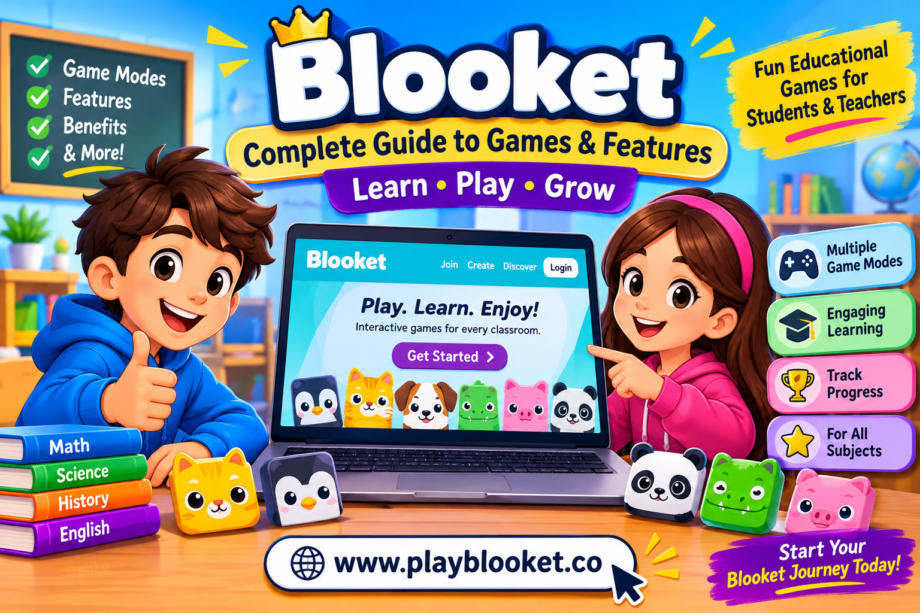
Learning does not always have to involve textbooks, worksheets, and traditional classroom activities. Today, students can explore new ways to practice their knowledge through interactive websites that combine education with entertainment. Blooket is one platform that brings these two experiences together by turning ordinary questions into exciting digital games.
Whether you are a student discovering educational games or a teacher looking for a new classroom activity, understanding how Blooket works can help you make better use of its features. The platform offers different game experiences, customizable question sets, and opportunities to practice subjects in an engaging environment.
In this guide, we will explore what Blooket is, how it works, its main features, popular game modes, benefits for students and teachers, and practical tips for getting started.
What Is Blooket?
Blooket is an online educational gaming platform that allows teachers and students to learn through interactive question-based games. Instead of completing traditional quizzes, players answer questions while participating in different game activities.
The platform combines multiple-choice questions with creative gameplay mechanics. Depending on the selected mode, correct answers can help players earn points, collect rewards, build structures, compete against classmates, or complete other challenges.
One interesting feature is that teachers can create their own question sets or explore existing sets in the platform’s library. This makes it possible to use Blooket for different subjects, including mathematics, science, history, vocabulary, and general knowledge.
Another reason people enjoy Blooket is its colorful characters, known as Blooks. These collectible characters add a playful element to the experience and give students another reason to explore the platform.
Overall, Blooket provides a different approach to classroom revision by combining educational questions with interactive entertainment.
How Does Blooket Work?
Getting started with Blooket is relatively simple. Teachers can prepare questions, select a suitable game mode, and invite students to participate in a session.
The general process involves a few steps:
- Choose a question set: Teachers can create their own questions or select an existing set from the available library.
- Select a game mode: Different modes provide different gameplay experiences.
- Host a session: The teacher starts a game and shares the joining information.
- Join the activity: Students enter the game using the instructions provided by the host.
- Answer questions: Players respond to questions while participating in the selected activity.
- Review the results: Teachers can use available game reports to understand student performance.
The same question set can create different experiences depending on the selected game mode. This flexibility makes Blooket useful for classroom revision, group activities, and independent practice.
Main Features of Blooket
Blooket includes several features designed to make educational activities more interactive and enjoyable.
1. Interactive Question Sets
Question sets are the foundation of the platform. Teachers can prepare questions according to their lessons or explore existing educational content.
For example, a mathematics teacher might create questions about multiplication, fractions, or basic equations. A science teacher could prepare questions about the solar system, plants, or the human body.
Having different question sets allows teachers to adjust activities according to students’ learning levels.
2. Multiple Game Modes
One of the most interesting parts of Blooket is its collection of game modes. Each mode introduces different mechanics, even when players use the same question set.
Some activities focus on speed and accuracy, while others involve strategy, collecting rewards, or competing with other players.
This variety helps teachers introduce different classroom activities without constantly preparing completely new questions.
3. Collectible Blooks
Blooks are digital characters that make the platform more entertaining. Players can explore different characters and collect them through available platform features.
Some Blooks are more common, while others are harder to obtain. Collecting these characters adds an extra layer of excitement for students who enjoy customization and digital collectibles.
4. Classroom Hosting
Teachers can host live games and invite students to participate. This makes it possible to organize group revision sessions and interactive classroom competitions.
Teachers can select appropriate settings, choose a question set, and manage the activity according to their lesson objectives.
5. Performance Reports
Blooket provides reports that can help teachers review student performance after activities.
These reports can offer useful information about participation and question responses. Teachers can use the results to identify topics that need additional explanation or practice.
6. Independent Learning
Students can also use suitable question sets for individual practice, depending on the available game modes and settings.
This provides another way to review lessons outside traditional classroom activities.
Popular Blooket Game Modes
Different game modes are an important part of the Blooket experience. Each one offers a different way to interact with educational questions.
Here are some popular examples:
Classic
Classic is a straightforward mode that focuses on answering questions correctly and earning points. It is a useful option for quick classroom reviews and students who prefer simple gameplay.
Gold Quest
Gold Quest introduces treasure and rewards into the learning experience. Players answer questions and encounter opportunities to collect or take gold, depending on the game mechanics.
Tower Defense
Tower Defense combines educational questions with strategic gameplay. Players use their progress to build defenses and protect their territory from incoming enemies.
Racing
Racing allows players to compete by answering questions. Correct responses help them progress through the race, making it a suitable option for fast-paced classroom activities.
Cafe
Cafe introduces a restaurant-style experience where players work through questions while managing different in-game tasks.
Factory
Factory combines question answering with resource management and upgrades. Players work to improve their virtual production setup as they progress.
Fishing Frenzy
Fishing Frenzy gives players a fishing-themed experience. Answering questions allows them to participate in the activity and collect different rewards.
Game availability can change over time, and some modes may have specific account or subscription requirements. Players should check the official platform for the latest selection.
Benefits of Using Blooket for Students
Educational games can provide another way for students to review information and practice important skills.
Here are some potential benefits of using Blooket as part of a balanced learning routine.
Makes Revision More Enjoyable
Repeating information is important for learning, but traditional revision methods can sometimes feel repetitive.
Interactive activities introduce a different format that may encourage students to participate more actively.
Encourages Active Participation
Students are not simply reading questions or watching a presentation. They respond to questions and interact with the activity.
This can provide additional opportunities for students to demonstrate what they understand.
Supports Different Subjects
Blooket can be used with question sets covering many educational topics.
Teachers can prepare activities for:
- Mathematics and problem-solving
- Science and general knowledge
- History and geography
- English vocabulary and grammar
- Reading comprehension
- Foreign language practice
Promotes Friendly Competition
Some game modes include competitive elements that encourage students to challenge themselves.
When used appropriately, friendly competition can make classroom revision more exciting.
Provides Opportunities for Repeated Practice
Students can revisit educational topics through different question sets and game modes.
Repeated practice can help reinforce information and highlight areas that require further attention.
Why Do Teachers Use Blooket?
Teachers often look for classroom tools that make lessons more engaging without creating unnecessary preparation work.
Blooket offers a combination of ready-made question sets, customizable activities, and different game formats.
For example, teachers can use it at the beginning of a lesson to review previous topics or at the end of a chapter to check students’ understanding.
It can also be useful before examinations when students need additional practice.
However, educational games work best when they support clear learning objectives. Teachers should review questions, select suitable activities, and discuss incorrect answers rather than focusing only on scores.
Is Blooket Free?
Blooket offers a free account option that allows users to access its basic educational gaming experience.
Teachers can explore question sets, prepare activities, and host games using available features. The platform also offers paid subscription options that may provide additional capabilities.
The exact features, limits, and subscription benefits can change over time. Therefore, users should check the official Blooket website for current account information.
Students who want to participate in a live classroom game can generally join using the information shared by their teacher without creating their own account.
Blooket vs Traditional Classroom Quizzes
Traditional quizzes and digital educational games both have a place in learning. However, they offer different experiences.
Traditional quizzes usually focus on answering questions in a written or digital format. Students complete the activity and receive results based on their responses.
Blooket adds game mechanics to the process. Students answer questions while progressing through activities that may involve competition, rewards, or strategy.
This difference can make revision feel more interactive.
However, neither approach is automatically better for every student or subject. Teachers should consider their lesson objectives, available devices, and students’ learning preferences before choosing an activity.
A balanced combination of classroom discussion, written practice, and educational games can provide a more varied learning experience.
Tips for Getting the Most Out of Blooket
Whether you are a teacher or a student, a few simple practices can make the experience more useful.
Choose relevant question sets: Make sure the questions match the subject or topic you want to study.
Understand the game mode: Explore the available modes before starting so you can choose one that matches your goals.
Focus on accuracy: Answering quickly can be exciting, but understanding the correct answers is more important than simply winning.
Review mistakes: Take time to understand questions you answered incorrectly.
Keep activities balanced: Short gaming sessions can be useful for revision without replacing other learning methods.
Follow classroom instructions: Students should use the game codes and joining details provided by their teachers.
How to Get Started With Blooket
If you want to explore the platform, visit the official website at Blooket.com.
Teachers can create an account, explore question sets, and choose an activity to host. Students can follow their teacher’s instructions to join a live session or explore suitable independent learning options.
For a live game, the host provides the necessary joining details. Players enter the information on the official joining page and follow the instructions displayed on their screens.
Before starting, make sure you have a stable internet connection and a compatible device.
Frequently Asked Questions About Blooket
1. What is Blooket mainly used for?
Blooket is used to create interactive educational games based on questions and quizzes. Teachers use it for classroom revision, knowledge checks, and student participation.
2. Can students play Blooket for free?
Yes. Students can generally join hosted games without paying for an account. Some features and activities may depend on the host’s account or subscription.
3. Do teachers need to create their own questions?
No. Teachers can create custom question sets or explore existing sets available through the platform.
4. Can Blooket be used for mathematics?
Yes. Teachers can use mathematics question sets covering topics such as multiplication, fractions, geometry, and problem-solving.
5. What are Blooks?
Blooks are collectible digital characters within the platform. They add a fun customization and collection element to the experience.
6. Is Blooket suitable for classroom learning?
Blooket can support classroom learning by providing interactive question-based activities. It works best as a supplement to regular teaching, explanations, and other learning methods.
7. Can students play Blooket at home?
Yes. Students can participate in suitable independent activities or complete assignments when their teacher provides them, depending on the available settings and game modes.
8. Does Blooket have different game modes?
Yes. The platform offers different modes, including Classic, Gold Quest, Racing, Tower Defense, Cafe, Factory, and Fishing Frenzy. Availability may vary.
Final Thoughts
Blooket offers an interesting way to combine education and entertainment through interactive question-based games. Its different game modes, customizable question sets, and collectible characters provide students with more ways to participate in classroom activities.
For teachers, it can be a useful tool for reviewing lessons, encouraging participation, and identifying topics that need additional practice. Students can use suitable activities to revisit information while enjoying a more interactive learning experience.
The most important thing is to keep learning at the center of every activity. When used alongside traditional teaching methods, Blooket can make classroom revision more engaging and enjoyable.
If you are looking for a different way to practice educational topics, exploring Blooket is a great place to start.
