
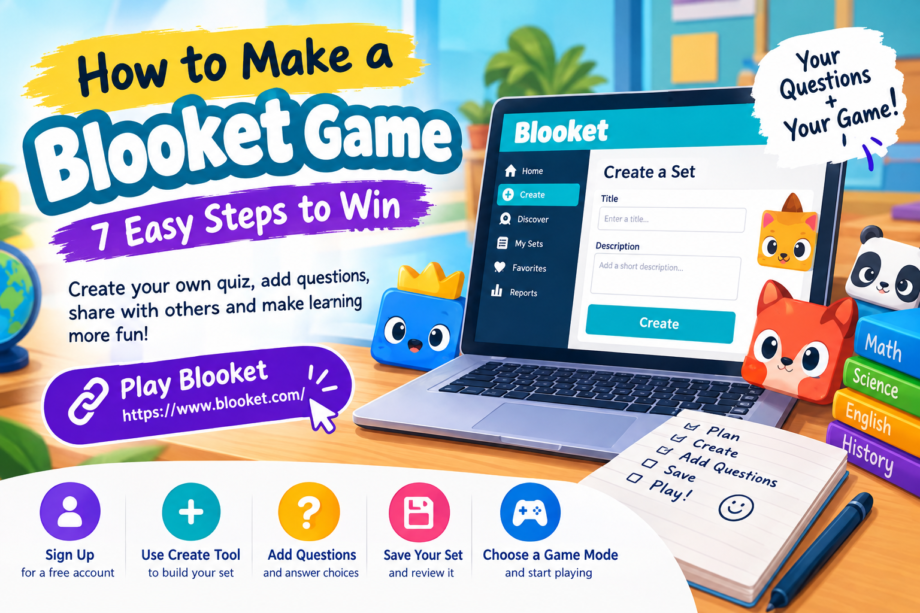
Learning becomes more enjoyable when students can participate instead of simply reading notes or listening to a lesson. Interactive quizzes give learners a chance to test their knowledge, discover mistakes, and practice important concepts in a relaxed environment. Blooket makes this possible by combining educational questions with entertaining game modes that can be used at school or at home.
If you have ever wondered how to make a blooket game, the good news is that you do not need advanced technical skills or expensive software. With a free account, a topic to explore, and a little preparation, you can create your own question set and turn it into an interactive learning activity. Students can prepare quizzes for classmates, teachers can design revision exercises, and families can create simple games for additional practice.
This guide explains the entire process, from setting up an account to writing better questions, saving your work, and sharing a finished game. It also includes practical suggestions to help you avoid common mistakes and make your quiz useful for different learning levels.
What Is Blooket and How Does It Work?
Blooket is an educational platform that turns question-and-answer activities into games. Instead of completing an ordinary worksheet, players answer questions while participating in a selected game mode. The questions come from a collection called a question set, which provides the educational content for the activity.
When learning how to make a blooket game, it helps to understand the difference between a question set and a game. A question set contains your prompts and answers, while the game mode determines how players interact with that content. One carefully prepared set can be used in different activities, depending on the options available.
For example, a student studying science could create questions about the solar system. A teacher could use the same questions for a classroom competition, while another student could practice independently before an examination.
Blooket also allows users to explore question sets created by other people. However, making your own set gives you greater control over the topic, difficulty, wording, and learning objectives. You can visit the official Blooket website to explore the platform and get started.
What Do You Need Before Creating a Game?
Before exploring how to make a blooket game, prepare a few basic things. Having these ready can save time and help you build a more organized quiz.
A Blooket account: You need an account to create and save your own question sets. Account registration requirements apply, so check the platform’s current eligibility rules before signing up.
A topic: Choose something specific enough to turn into clear questions. Examples include multiplication tables, English vocabulary, historical events, geography, computer basics, or science facts.
Questions and answers: Write a list of questions before opening the editor. Decide which answer is correct and prepare reasonable alternatives for multiple-choice questions.
An internet-connected device: A computer is convenient for entering many questions, although you can use a compatible mobile device if the interface supports your needs.
A little planning: Consider who will play, how much time they have, and what they should learn. A quiz for beginners should not contain the same difficulty level as a revision activity for advanced students.
Once you have these essentials ready, you can move to the creation process.
Step 1: Create a Free Blooket Account
The first step in learning how to make a blooket game is accessing the platform.
Open the official Blooket website in your browser and select the sign-up option. Follow the instructions provided on the screen to create an account. Depending on the available registration methods, you may be able to register using an email address or a supported account provider.
Enter the requested information carefully and complete any verification steps. If you are using a school-managed account, check whether your school has restrictions on educational websites.
After registration, sign in and open your dashboard. This is where you can access the tools for creating sets, exploring existing content, and managing your saved work.
Students should also check the applicable age requirements and school policies. Younger learners may need permission or assistance from a parent, guardian, or teacher.
You do not need to purchase a paid plan simply to explore the basic set-creation features. Blooket offers free features, although certain additional options depend on the account plan.
Step 2: Open the Create Tool
After signing in, look for the Create option on your dashboard. The exact layout may change as Blooket updates its interface, but the creation area is where you begin building your own question set.
When learning how to make a blooket game, remember that you are preparing the questions first, not choosing every gameplay detail immediately.
Select the option to create a new set and enter a suitable title. The title should describe the topic clearly. For instance, instead of naming your project “Quiz One,” you could use “Grade 6 Fractions Practice” or “Basic English Vocabulary Review.”
Add a short description if the editor offers that option. Explain what the set covers and who might benefit from it.
You may also have the option to choose a cover image or adjust privacy settings. A relevant cover can make your set easier to recognize later. Privacy settings help determine whether other users can discover your content.
Before continuing, review the information you entered. A clear title and description make your set easier to manage, especially when you create several quizzes for different subjects.
Step 3: Write Clear and Useful Questions
This is the most important part of creating an educational game. The questions should test knowledge rather than confuse players with unnecessarily complicated wording.
Suppose your topic is basic mathematics. You could begin with a simple question:
Question: What is 8 multiplied by 7?
- A. 48
- B. 54
- C. 56
- D. 64
Correct answer: C. 56
This question has one clear objective and several possible answers. Players must understand multiplication to select the correct option.
If you are researching how to make a blooket game for a classroom, try mixing straightforward questions with a few that require deeper thinking. A balanced quiz helps beginners build confidence while giving more experienced students an opportunity to demonstrate their understanding.
Here are some practical rules for writing questions:
- Keep each question focused on one main idea.
- Use language appropriate for your audience.
- Make incorrect answers believable but clearly incorrect.
- Avoid questions that have multiple interpretations.
- Verify facts, calculations, dates, and definitions.
- Avoid giving away the correct answer through the wording.
- Use examples related to the topic whenever possible.
For example, a geography quiz might ask players to identify the capital of a country. An English quiz could ask them to choose the correct meaning of a word. A science quiz could test knowledge of plant growth or the human body.
The goal is to make each question educational and understandable. A game can be entertaining without sacrificing accuracy.
Step 4: Add Answer Choices and Mark the Correct Answer
Once you have written a question, enter its answer choices into the editor. Select the correct answer using the relevant control provided by Blooket.
Take your time with this step. An incorrectly marked answer can teach students the wrong information, even if the question itself is well written.
When learning how to make a blooket game, you should also pay attention to the quality of the incorrect options. If three answers are obviously unrelated to the question, players may guess correctly without understanding the topic.
Consider this example:
Question: Which planet is known as the Red Planet?
- A. Venus
- B. Mars
- C. Neptune
- D. Mercury
The alternatives are all planets, so players must know which one is associated with the description. Mars is the correct answer.
After entering the choices, double-check the selection and save the question using the editor’s available controls.
If the question editor offers different question types, explore them when appropriate. Multiple-choice questions work well for quick reviews, while typing-based questions can be useful when students need to recall an answer without selecting it from a list. Available question types may depend on the current platform features.
Step 5: Build a Complete Question Set
Your first question is only the beginning. Add more questions until your set covers the topic adequately.
For a short practice activity, a small collection may be enough. A longer revision session may require more questions covering several subtopics. There is no single ideal number for every situation; the best length depends on the learning goal and the time available.
For example, a quiz about the solar system could include questions about planets, moons, the Sun, space exploration, and basic astronomical facts.
When planning how to make a blooket game that keeps students interested, avoid repeating the same question with only minor changes. Instead, test the same concept in different ways.
You could ask learners to identify a definition, solve a problem, recognize an example, or explain a relationship between two ideas.
A useful approach is to organize your questions into three levels:
Easy questions: These test basic facts and help players become comfortable with the subject.
Intermediate questions: These require learners to apply information or distinguish between similar concepts.
Challenging questions: These test deeper understanding, problem-solving, or connections between topics.
You should also review the questions in sequence. A sensible progression can make the activity easier to follow without making the final questions unnecessarily difficult.
If your set contains information that changes over time, such as current events or statistics, verify it before publishing. Accuracy matters just as much in a game as it does in a traditional classroom resource.
Step 6: Save Your Set and Review It
After adding your questions, use the available save option to store your work. Depending on the current interface, the set may then appear in an area such as My Sets.
Do not assume that entering questions is the end of the process. Review the entire collection before using it with other players.
Check the following details:
- Is the title descriptive?
- Are all questions easy to understand?
- Is the correct answer marked for every question?
- Are there spelling or grammatical mistakes?
- Are the answer choices appropriate?
- Does the set cover the intended learning objectives?
- Have you selected the appropriate privacy setting?
Testing the questions yourself is particularly helpful. You may notice an ambiguous sentence or a missing answer choice that was difficult to spot while writing.
When learning how to make a blooket game, remember that editing is a normal part of the process. You can improve a set over time by correcting mistakes, replacing weak questions, and adding material as you study new topics.
If the platform provides a preview or solo-play option for your set, use it to check how the questions appear during gameplay. This can help you identify wording that looks clear in the editor but becomes difficult to read on a smaller screen.
Step 7: Choose a Game Mode and Start Playing
Once your question set is ready, you can use it in a compatible Blooket game mode. The options available may vary depending on the mode, account plan, and whether you are playing live or independently.
For a live session, the host selects a suitable set and launches a game using the available hosting controls. Participants can then follow the joining instructions provided by the host.
For independent practice, look for the appropriate solo option if it is available for your chosen set and game mode.
Teachers may also be able to assign activities for students to complete outside a live classroom session. Check the current assignment features and settings before sharing an activity.
The best mode depends on your purpose. A fast-paced activity may work well for reviewing familiar facts, while a mode that allows more time for thinking may suit difficult material.
If you are still exploring how to make a blooket game for the first time, start with a simple setup. Once you understand the basic process, experiment with different modes and discover which ones suit your audience.
You can find more information about gameplay options in the official Blooket game mode guide.
Tips for Making Your Blooket Game More Engaging
A successful quiz is not necessarily the longest or most complicated one. Its value comes from how well the questions match the players and the learning objective.
Choose a focused topic. A set covering one chapter or skill is often easier to organize than a quiz containing unrelated facts.
Use familiar examples. Questions about everyday situations can help students connect abstract ideas to practical experience.
Keep wording concise. Long prompts can slow down gameplay, especially when students are working on smaller screens.
Mix question difficulty. A combination of easier and harder questions creates variety and helps you see which concepts need further explanation.
Check accessibility. Use readable language, avoid unnecessary visual clutter, and provide enough time for questions that require calculations or careful reading.
Review performance afterward. If reports are available for your game, use them to identify common mistakes and topics that need additional practice.
These techniques are useful whether you are creating a quiz for classmates, preparing a revision activity, or helping younger learners understand a new subject.
Another useful strategy is to invite feedback. Ask players which questions were confusing and which topics they would like to practice again. Their comments can help you improve the next version.
Common Mistakes to Avoid
Beginners sometimes focus too much on making a game exciting and forget that the questions are the foundation of the experience.
One common mistake is rushing through answer creation. Incorrect answers should be plausible enough to test understanding, but they must not create confusion about the correct response.
Another problem is using overly broad titles. A name such as “School Quiz” provides little information when you return to your saved sets later. A specific title makes organization much easier.
Some creators also add too many difficult questions at the beginning. Starting with basic concepts gives participants a chance to become familiar with the subject before tackling more complex material.
When learning how to make a blooket game, avoid publishing a set without reviewing it. Even a small spelling mistake or an incorrect answer can affect the quality of the entire activity.
Finally, do not assume that a popular game mode automatically makes every quiz effective. The questions must still be accurate, relevant, and appropriate for the intended audience.
Frequently Asked Questions
Can students create their own Blooket games?
Yes. Students who meet the platform’s account requirements can create their own question sets using the available creation tools. They can prepare questions around a school subject, review their answers, and use a compatible game mode to practice.
Is creating a Blooket question set free?
Blooket offers free access to its core set-creation features. Some additional features and benefits are reserved for paid plans, so check the official website for current details.
Can I edit my questions after saving?
You can generally return to your saved sets and use the editing controls to update the content. The exact options depend on the current interface and your access to the set.
How many questions should my game include?
There is no universal number that works for every activity. A short review may need only a handful of questions, while a complete revision game may benefit from a larger collection. Choose a length that covers your topic without making the session unnecessarily long.
Can I share my question set with other people?
Sharing options depend on the set’s privacy settings and the platform’s current features. Public sets may be discoverable by other users, while private sets have more limited visibility. Review the privacy controls before sharing your work.
Do I need programming skills to create a Blooket game?
No programming knowledge is normally required to create a standard question set. The platform provides a graphical interface for entering questions and answers.
Conclusion
Creating an educational game is a practical way to turn ordinary revision into an interactive experience. With a clear topic, accurate questions, suitable answer choices, and a little testing, you can build a useful activity for classmates, friends, or students.
The easiest way to learn how to make a blooket game is to start small. Create a free account, open the Create tool, prepare your first questions, mark the correct answers, and save your set. Once everything is ready, select a compatible game mode and test the activity.
As you gain experience, you can experiment with different subjects, improve your question-writing skills, and build collections for future lessons. The result is more than a quiz: it is a reusable learning resource that encourages participation and helps players identify what they understand and what they still need to practice.
Start with one topic, make your questions meaningful, and improve your set each time you use it. A simple, carefully prepared game can make learning more active, enjoyable, and rewarding.
